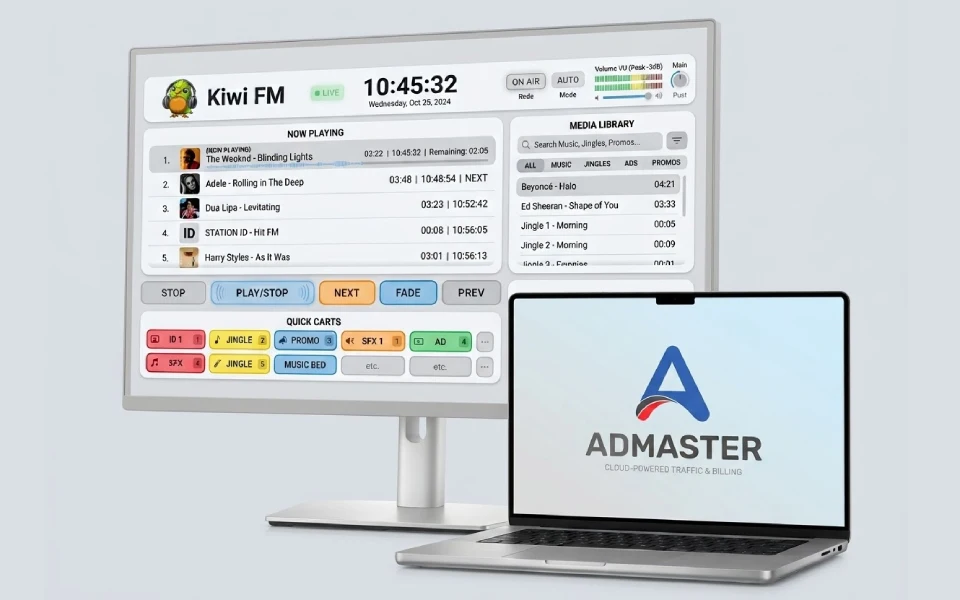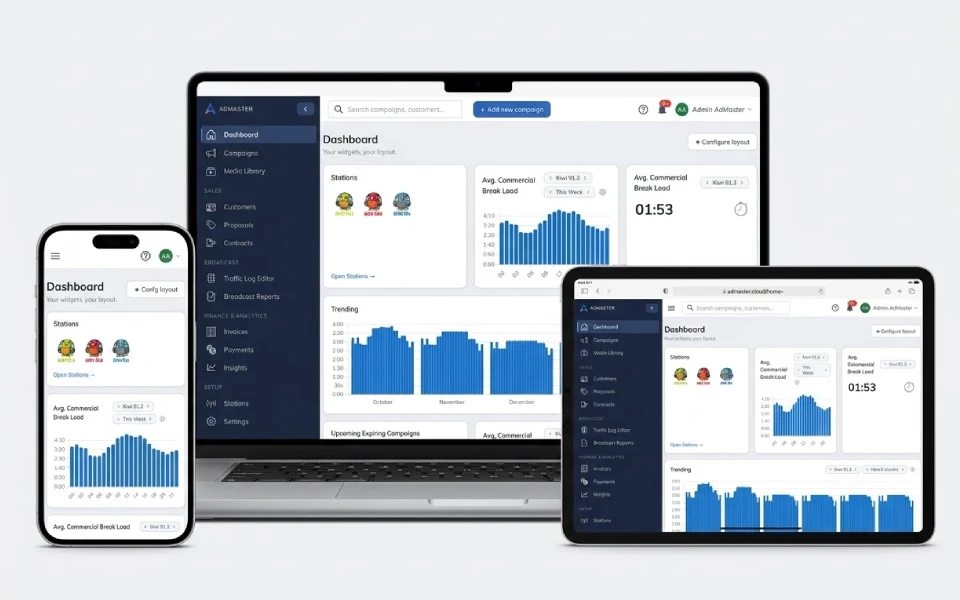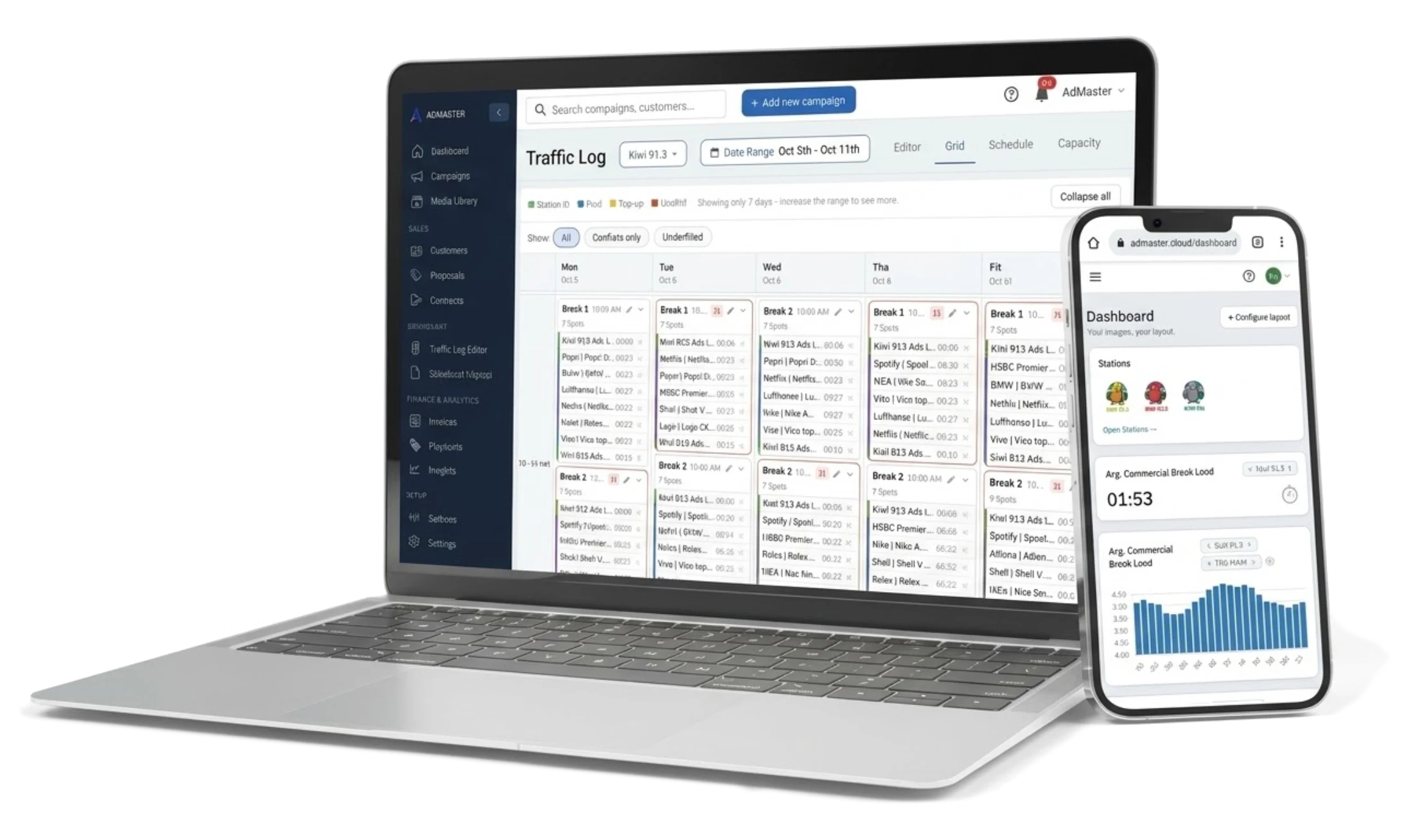
AdMaster on a laptop and a phone: the Traffic Log with one week of commercial breaks, and the dashboard
NewConnect AdMaster to your AI tool Beta

Radio and TV traffic & billing softwareSchedules itself.

AdMaster puts every commercial in the right break, fairly for every advertiser, and sends the traffic log to your playout. Radio and TV stations in 48 countries use it.

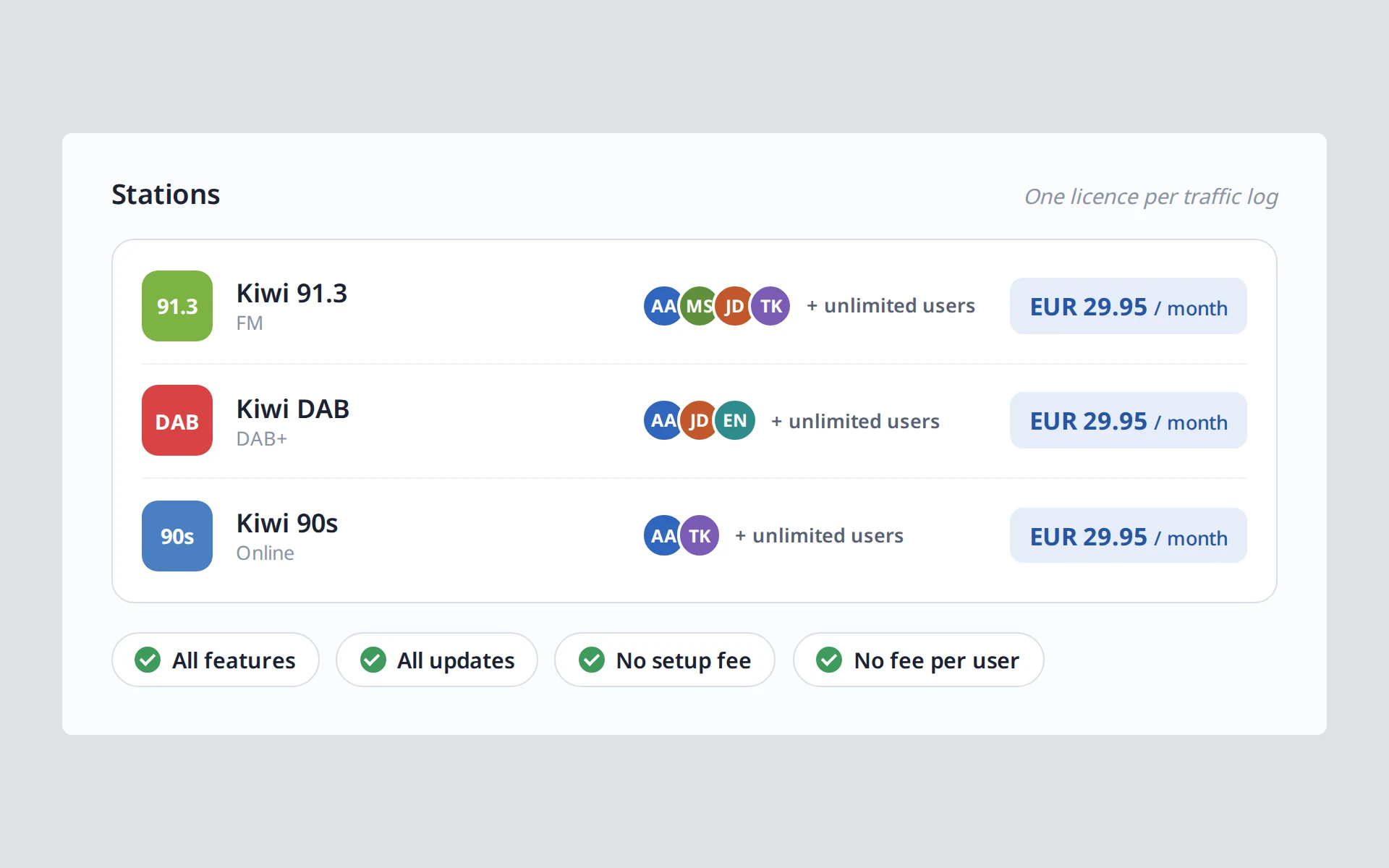
  • EUR 29.95 per station per month
  • Unlimited users per station
  • Works with 40+ playout systems

60 days free. No credit card.
Used by radio and TV stations in 48 countries.

Radio station logoRadio station logoRadio station logoRadio station logoRadio station logoRadio station logoRadio station logoRadio station logoRadio station logoRadio station logoRadio station logoRadio station logoRadio station logoRadio station logoRadio station logoRadio station logoRadio station logoRadio station logoRadio station logoRadio station logoRadio station logoRadio station logoRadio station logoRadio station logoRadio station logoRadio station logoRadio station logoRadio station logoRadio station logoRadio station logoRadio station logoRadio station logoRadio station logoRadio station logoRadio station logoRadio station logoRadio station logoRadio station logoRadio station logoRadio station logoRadio station logoRadio station logoRadio station logoRadio station logoRadio station logoRadio station logoRadio station logoRadio station logoRadio station logoRadio station logoRadio station logoRadio station logoRadio station logoRadio station logoRadio station logoRadio station logoRadio station logoRadio station logoRadio station logoRadio station logoRadio station logoRadio station logo

AI assistants Beta

Describe it. AdMaster does the rest.

This is BIG. Connect AdMaster to the AI tool of your choice to set up your AI assistant, and work in your own words. Enter a campaign straight from the client's email, replace every play your station missed while it was off air, or create last month's broadcast reports and invoices in one message. You see everything before it is saved, and AdMaster does the work by its own rules, from placing every spot to every invoice line.

Included in every station licence. Beta. AI can make mistakes. Always have a person check everything your AI assistant does.

How AI assistants work
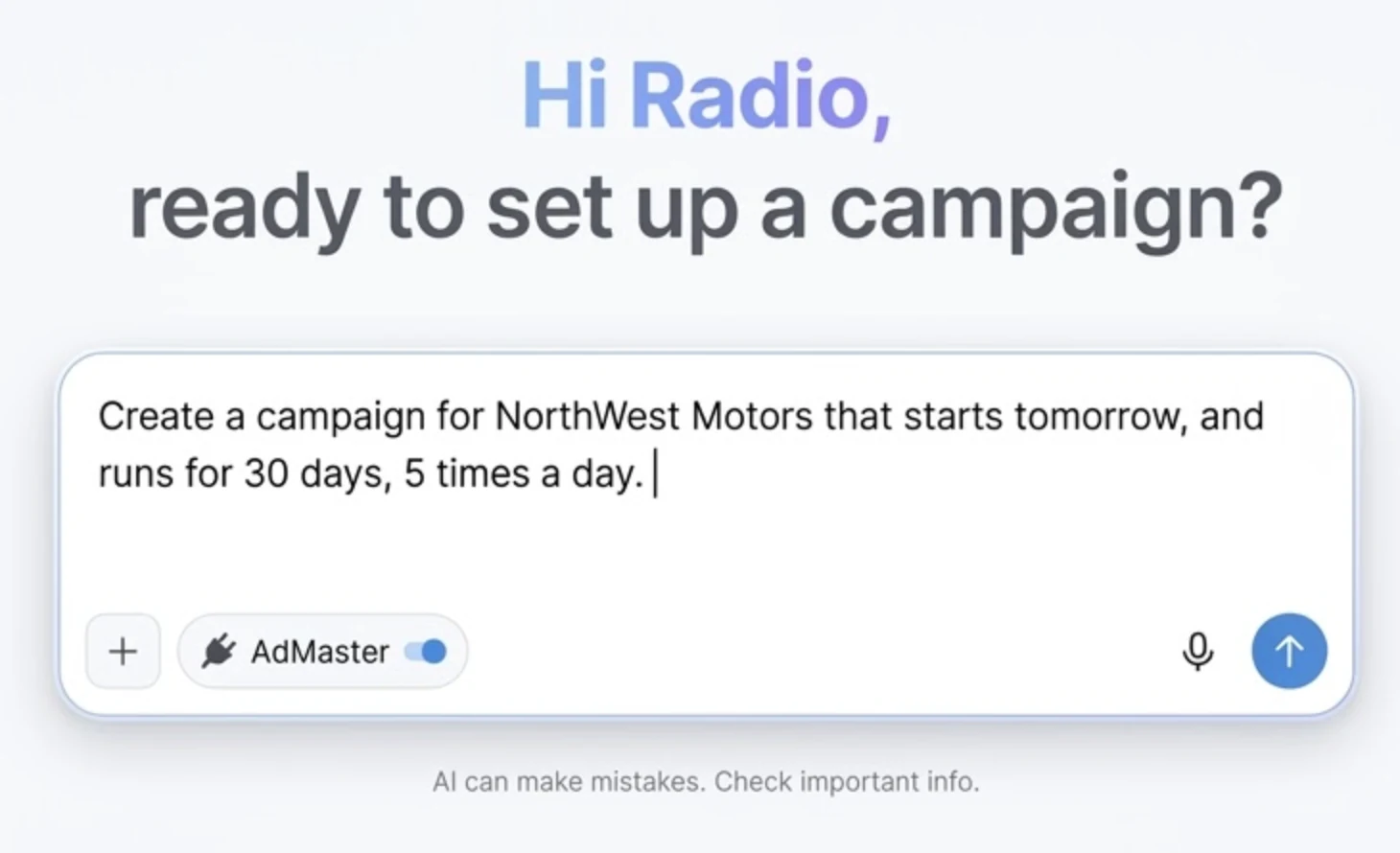
An AI assistant chat with the AdMaster connector switched on and the request: Create a campaign for NorthWest Motors that starts tomorrow, and runs for 30 days, 5 times a day.

Scheduling

Schedule it any way you sell it.

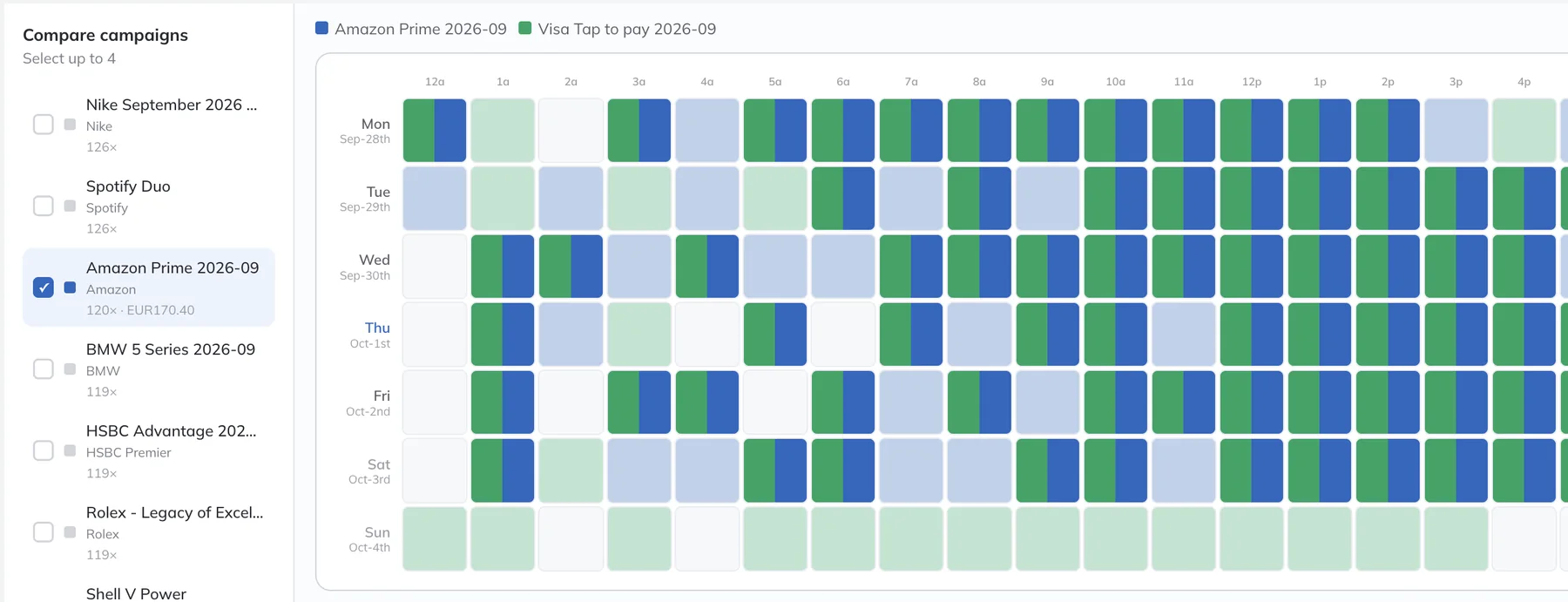
AdMaster weighs every possible placement of every spot and picks the schedule that is best for all advertisers at once. The client who booked first does not take the best positions. Every advertiser gets a fair share.

You fix only what no schedule can solve.

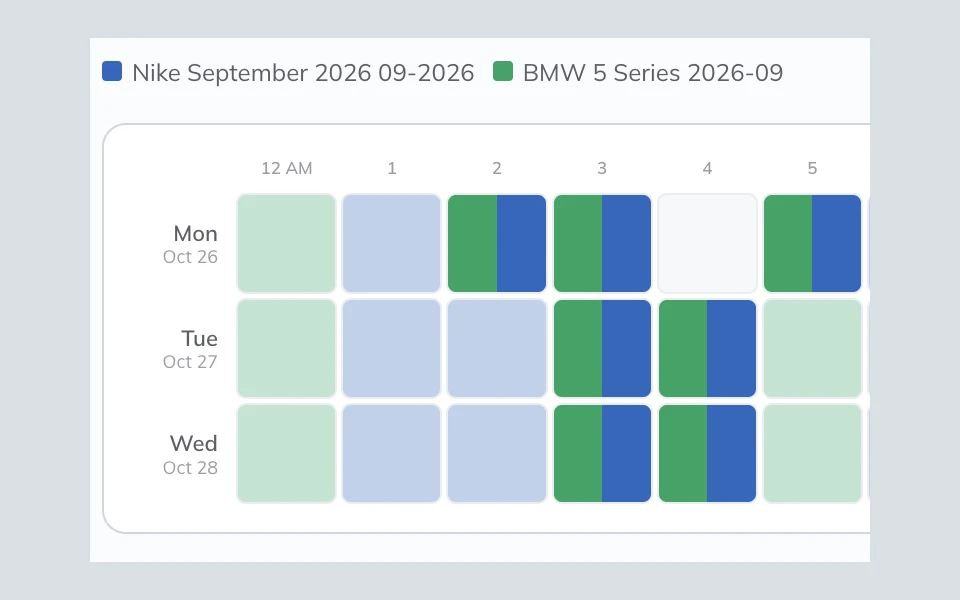
AdMaster schedule view: two campaigns spread evenly across every hour of the week

How you schedule

  • Static, variable or manual scheduling
  • Plays per day, per week or any custom period
  • Hour ranges and days of the week
  • One campaign, as many periods as you need, each with its own rules
  • Repeat a pattern at any interval you choose, in days, weeks or months

Where spots go

  • Up to 20 breaks per hour
  • Position in the break: first, last, upper third, middle or lower third
  • Priority breaks
  • Reminder spots in the same break
  • Rotation by percentage across spot versions
  • Placeholders for spots that are not ready yet

Automatic, within your rules

  • The best hours and breaks for every spot
  • Business and voice separation
  • Balanced break lengths
  • Break lengths in sync across a station network. Network scheduling

Manual edits only when the math leaves no choice.

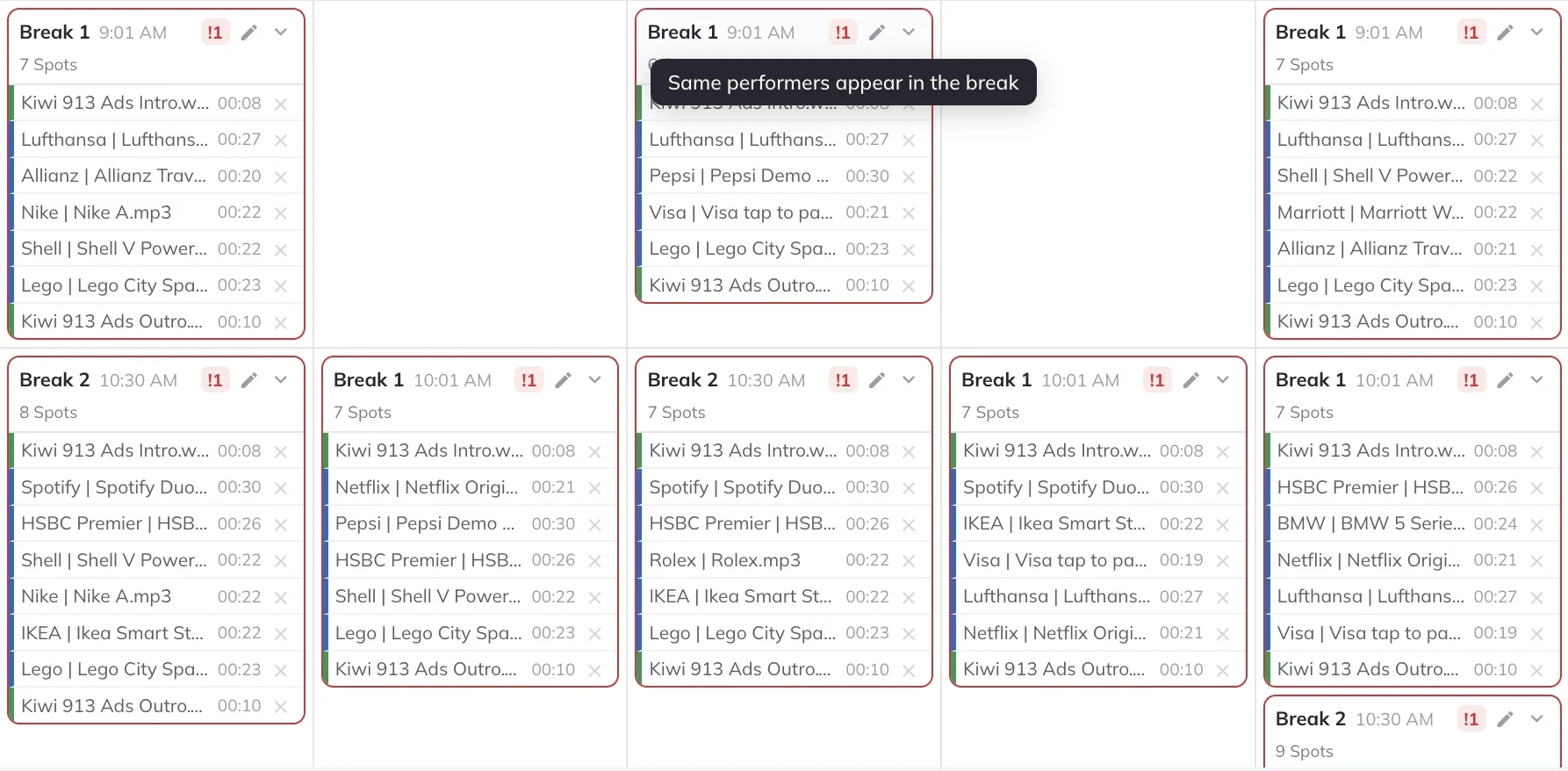
Nine real estate agencies on one station, each with a heavy campaign? No schedule can keep them all apart. AdMaster marks those conflicts in the Traffic Log, and that is the only time you may decide to edit the log by hand.

How scheduling works
AdMaster Traffic Log: breaks with a conflict are outlined in red, and a tooltip explains the conflict

Traffic log

Ready for air.

AdMaster writes the traffic log in the format your playout reads. The AdMaster Desktop Client app on your playout computer downloads the logs and the spot files automatically. Your playout plays the spots. You copy nothing by hand.

Integration is simple. AdMaster does not reach into the core of your playout system. It delivers a list of what to play and when. You only tell your playout which folder to read it from and in which format.

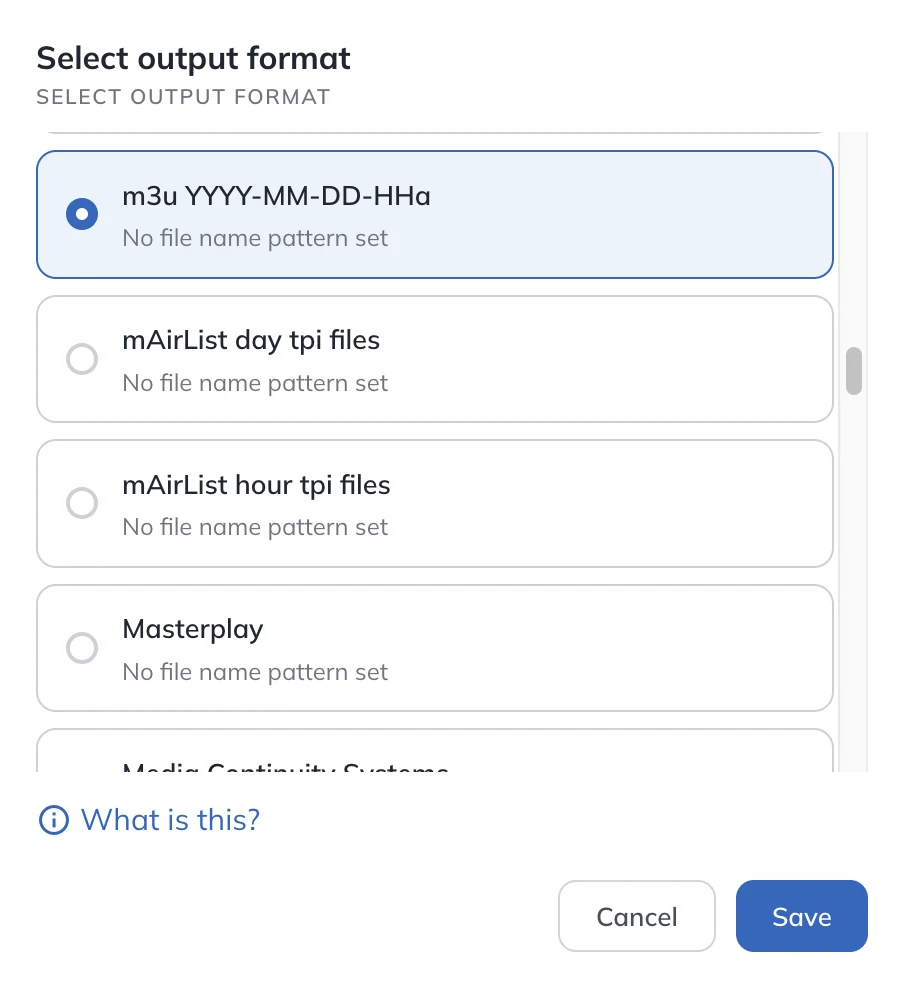
Output formats for 40+ playout and automation systems, plus m3u and pls for everything else. Need a different layout? Build your own in the output configurator, or ask us to add a new format.

See all integrations
AdMaster output format list: choose the traffic log format your playout reads

Reconciliation

Scheduled. Aired. Checked.

AdMaster reads the broadcast log from your playout and compares it with the schedule, in real time if your playout writes its log as it plays. You see which spots aired and which did not, before your client calls you.

Reconciliation can run fully automatic. AdMaster matches spots by spot name, file name or cart number, and emails you a warning when it finds a problem. Manual mode is there when you need it.

How reconciliation works
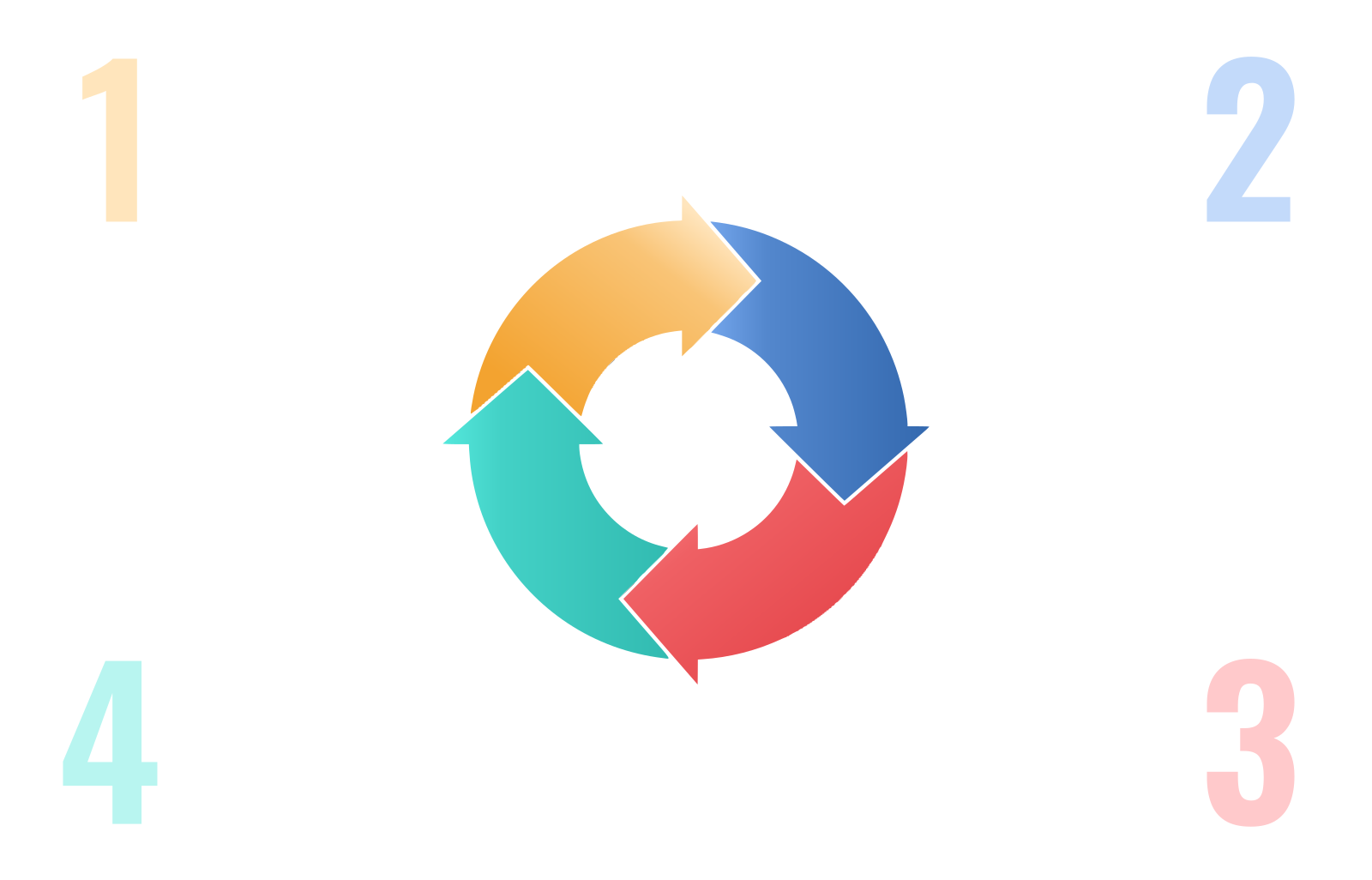
The reconciliation loop in four steps: schedule, traffic log, on air, broadcast log, and back to the schedule

01Schedule

AdMaster builds the schedule.

02Traffic log

The log and the spots go to your playout.

03On air

Your playout plays the spots.

04Broadcast log

AdMaster compares what aired with the schedule.

Reporting

Your clients follow it live.

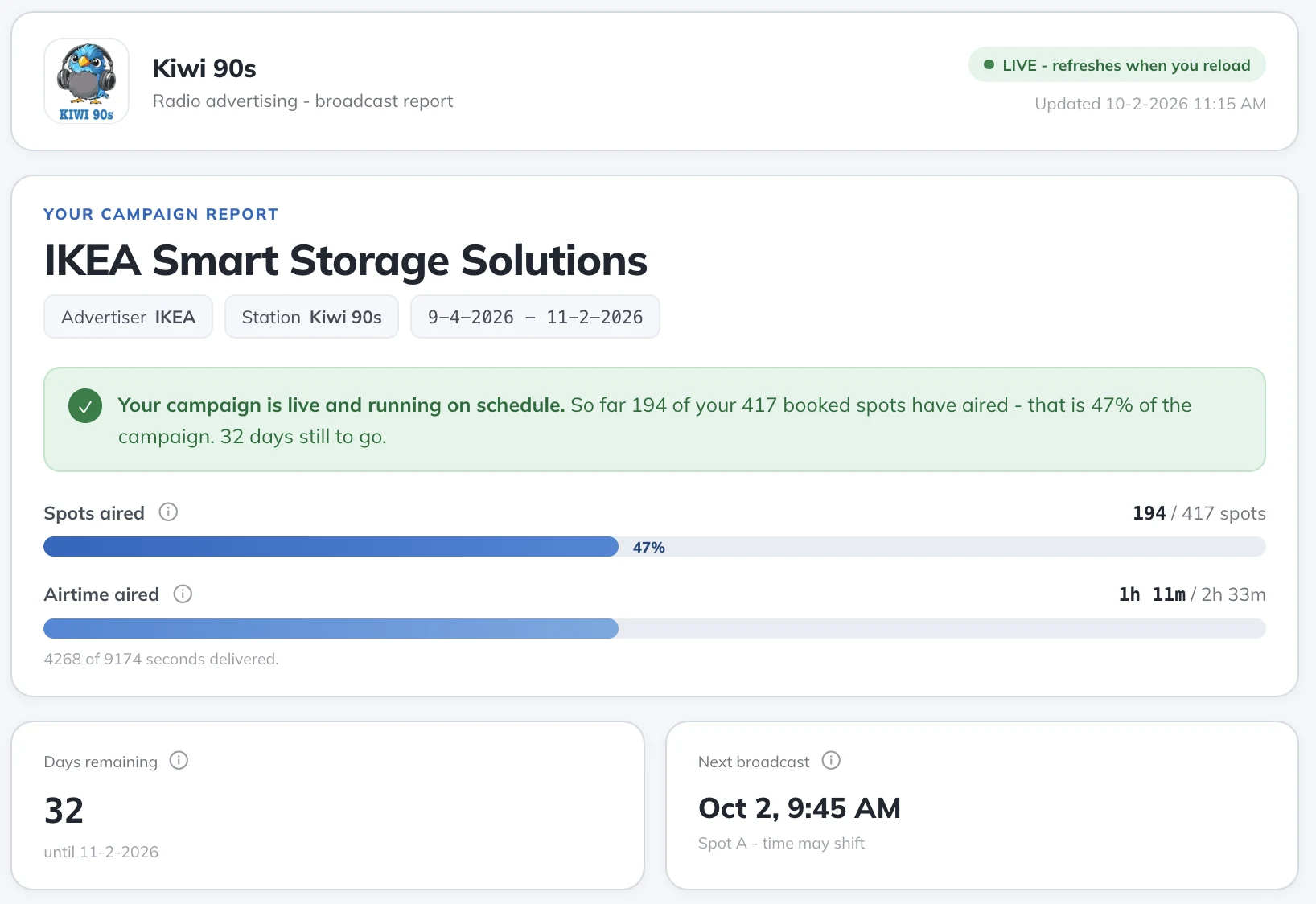
Every campaign gets its own live report. The advertiser sees the broadcast plan from the day you enter the campaign, and every airing verified in your broadcast log. Fewer calls asking if the ad ran.

Classic affidavits and proof of performance are also available for clients and agencies that need them. Insights reports export to CSV.

How reporting works
Live report for the advertiser: spots aired, airtime aired, days remaining and the next broadcast

Proposals, contracts and invoices

Start where your work starts.

Some stations need only the scheduler. Others run the whole sales cycle in AdMaster. Pick the workflow that fits yours. Everything is included in the price.

  1. Proposal
  2. Contract
  3. Campaign
  4. Schedule
  5. Traffic log
  6. Aired
  7. Report
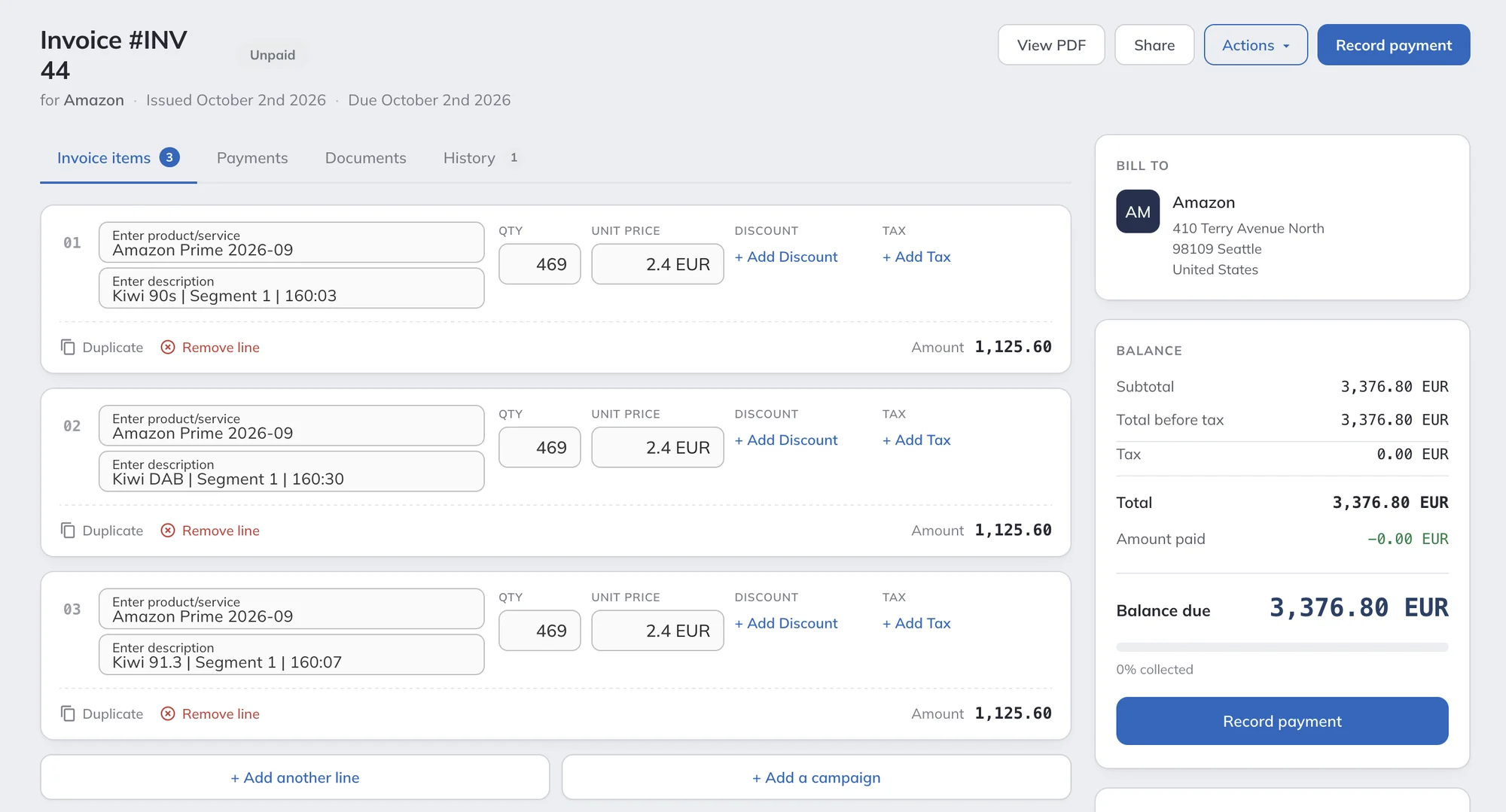
  8. Invoice

From proposal to invoice.

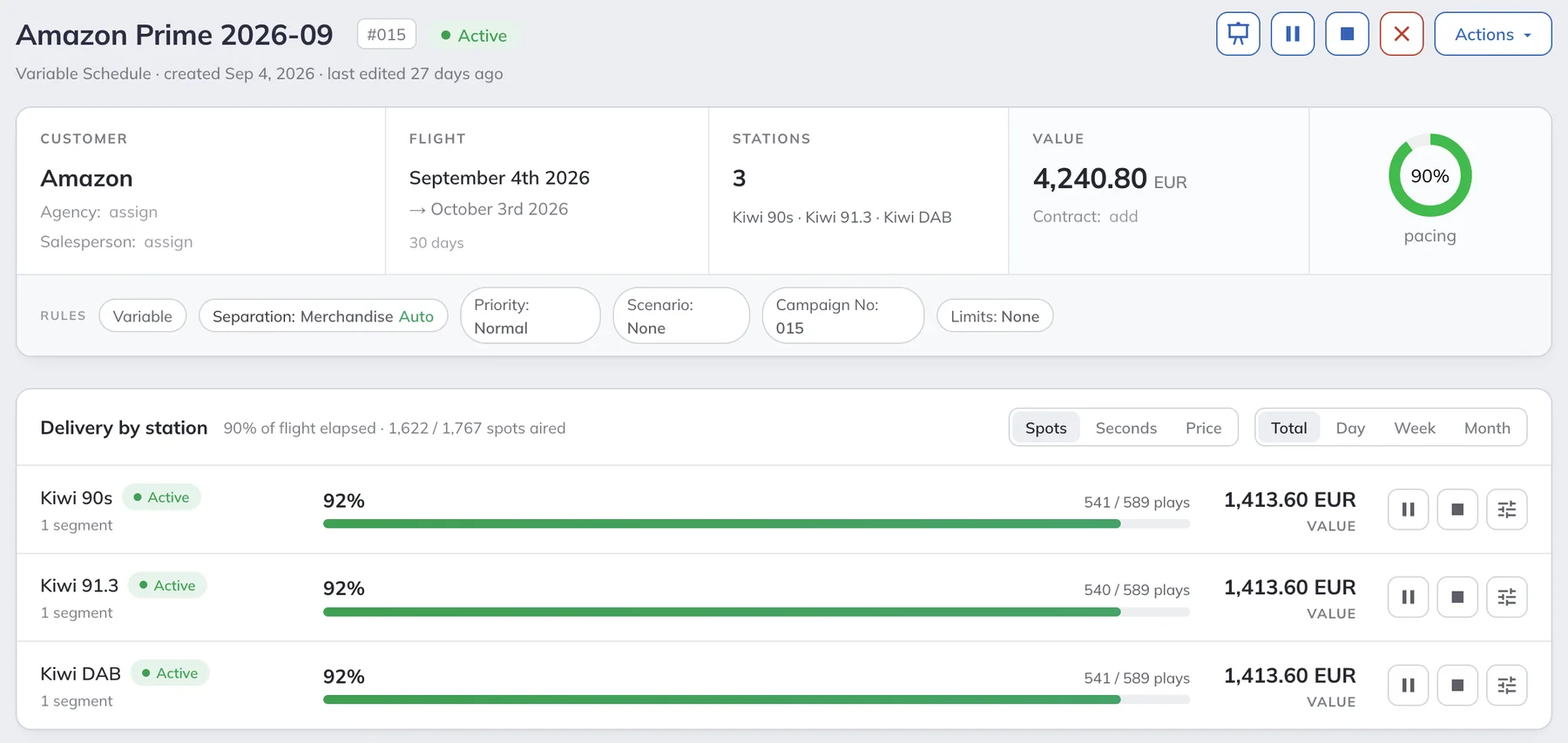
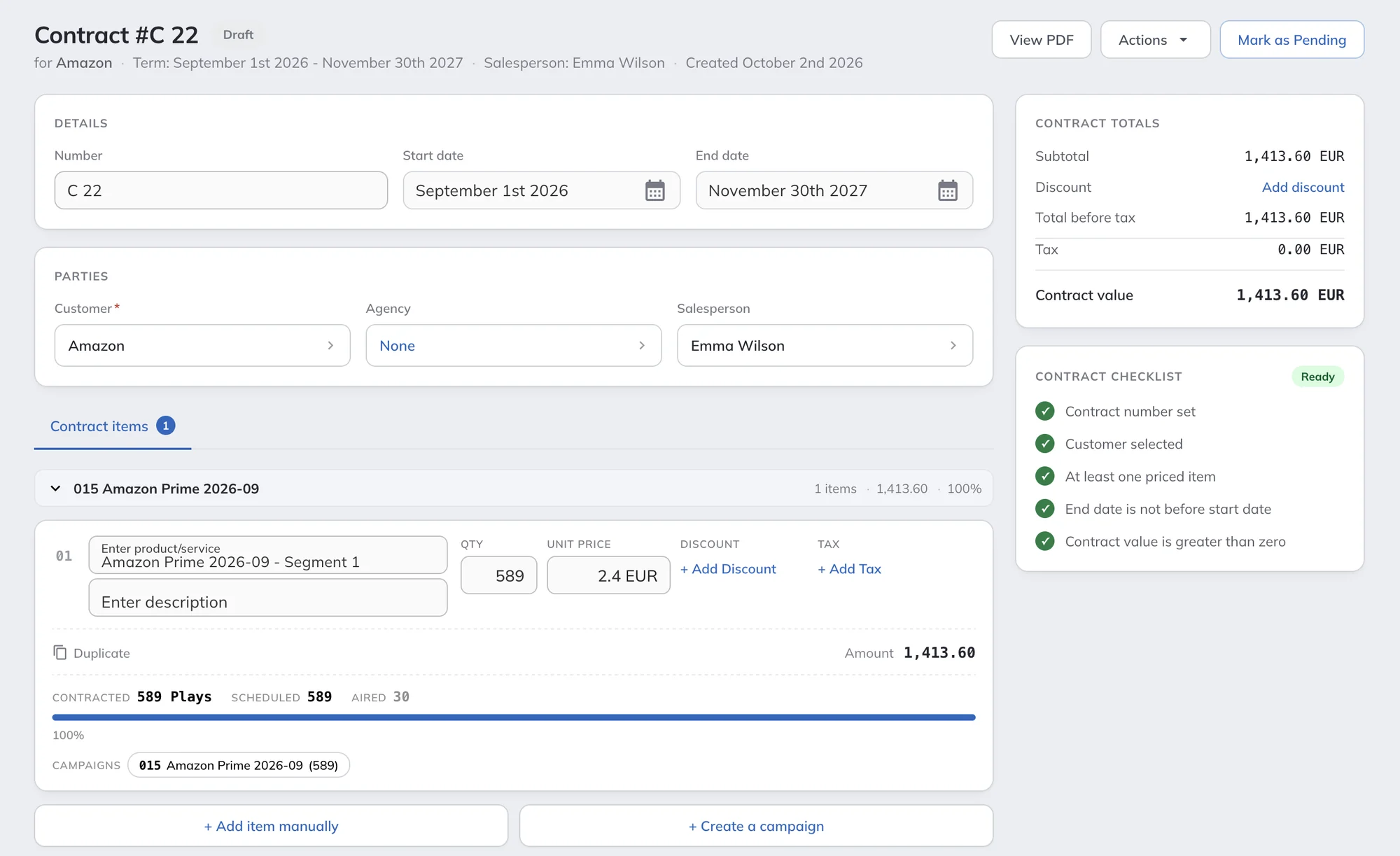
Build a proposal by preparing the campaign, and send it as a link. The client accepts and signs it online. Turn it into a contract, signed online too, and follow contracted, scheduled and aired plays in one place. Activate the campaign and invoice it.

Set the price for each part of a campaign: per play, per second, per day, per week, per month or flat. AdMaster is not built to compete with specialized CRM or accounting software, but it covers all the sales steps your traffic work needs.

AdMaster contract: term, parties, contract value, and contracted, scheduled and aired plays

Pricing

Traffic software doesn’t have to cost a fortune.

EUR 29.95

per station per month

or EUR 299.40 per year. On the yearly plan, that is less than EUR 1 a day. Local taxes may apply.

No setup fee.

Start with the 60-day free trial. When you buy, everything you set up stays as it is.

No fee per user.

Add your whole team. Every station licence includes unlimited users.

No paying twice.

AdMaster updates automatically in the cloud. A new version never means buying a new licence.

  • All features included
  • Unlimited users per station
  • Free updates
  • Free email and live chat support
  • AI assistant connection (beta)

Try it free for 60 days. No credit card. The trial is fully working, so you can put real spots on air from day one.
When you are ready, buy your license inside AdMaster.

Start free trial

Running more than one station? Contact us for your network price with the multi-station discount.

Contact us

Community, LPFM or online-only station? You may qualify for 75% off.

Check eligibility

See full pricing

Built by radio people, for stations of every size.

We ran radio stations for decades. AdMaster started as the traffic tool for our own.

Small market stations

You do the programming, the sales and the traffic yourself? AdMaster schedules the spots for you. Eligible smallest stations get 75% off.

For small stations

Overpaying for legacy traffic software?

Stop paying again for a licence you bought years ago. Move to modern traffic software in the cloud, at a fraction of the price. Keep your playout, and we help you move your customer data.

Switch to AdMaster

Networks and split ads

One team schedules many stations and frequencies. AdMaster offers several network modes for the way your network works, and automates the process to a level you never thought possible.

For station networks

TV stations

Commercial breaks for TV channels, with logs for TV playout systems. Up to 20 breaks per hour.

For TV stations

No one to schedule your traffic?

Our team at IT4RADIO does it for you in AdMaster.

Traffic services at it4radio.com

Questions stations ask us

AdMaster is cloud-based traffic software for radio and TV stations. It schedules commercials into breaks automatically, sends the traffic log to your playout system, checks what actually aired and creates invoices. We first built it for our own radio station. Today, radio and TV stations in 48 countries use it.

AdMaster costs EUR 29.95 per station per month, or EUR 299.40 per station per year. Every feature, all updates and unlimited users are included, with no setup fee. Station networks get a multi-station discount on request, and eligible community, LPFM and online-only stations get 75% off.

AdMaster works with more than 40 playout and automation systems for radio and TV. Systems that are not on the list can usually read an m3u or pls playlist, and you can build your own log format in the output configurator. See the full list of integrations.

No. You pay per station, which means one traffic log, and every station licence includes unlimited users.

Yes, for the whole traffic workflow: proposals, contracts, campaigns, scheduling, traffic logs, reconciliation, campaign reporting and invoicing. Use the 60-day free trial to run AdMaster next to your current system and compare the logs.

It does your AdMaster work from your own words. Describe a campaign, paste the client's email or attach the order, replace the plays your station missed while it was off air, ask for a sales report, or ask for the broadcast reports and invoices of last month. You see everything before it is saved, and nothing reaches a client until someone on your team clicks Send. AdMaster's scheduling still places every spot. It is included in every station licence. AI assistants in AdMaster are in beta. AI can make mistakes. Always have a person check everything your AI assistant does. See how it works.

AdMaster is traffic software. It includes proposals, contracts, campaigns and invoices for your traffic work, but it is not designed to replace a full-scale CRM, accounting software or e-invoicing connected to banks or tax authorities. You can export invoices to CSV, JSON or XML for your accounting system.

Not for delivery or tracking: AdMaster does not publish digital ads or confirm that they ran. Some stations still use it to organize and bill digital campaigns. They add extra breaks to the clock that never go on air and schedule the digital ads there. You can also add digital packages to any invoice as manual lines.

Yes, one small program on your playout computer. You use AdMaster in your web browser on any computer, tablet or phone. Think of the AdMaster Desktop Client app for Windows as a tiny Dropbox: it delivers spots and traffic logs to your playout computer and sends the broadcast log back for automatic reconciliation. Without it, you deliver the files yourself and reconcile manually. We recommend that only for stations with a special setup.

Yes. Every licence includes support by email at support@admaster.info and by live chat. Live chat operators answer on working days, 9:00 to 21:00 CET, when they are available. The AdMaster interface is available in more than 40 languages.

Try it on your own station.

60 days free. No credit card.

Prefer to write?

support@admaster.info

Live chat on working days, 9:00 to 21:00 CET, when an agent is available.
Questions before you start?

Tell us about your station. We reply by email.

I'm new to AdMaster
I already use AdMaster
Name
Email
Station or network
Number of stations
Playout system
Message

We use your details only to answer you. Privacy Policy