Scheduling
Enter the campaign once. AdMaster places every play in the right break, keeps competing advertisers apart, balances every break and sends the traffic log to your playout.
60 days free, with no credit card. Put real spots on air from day one.
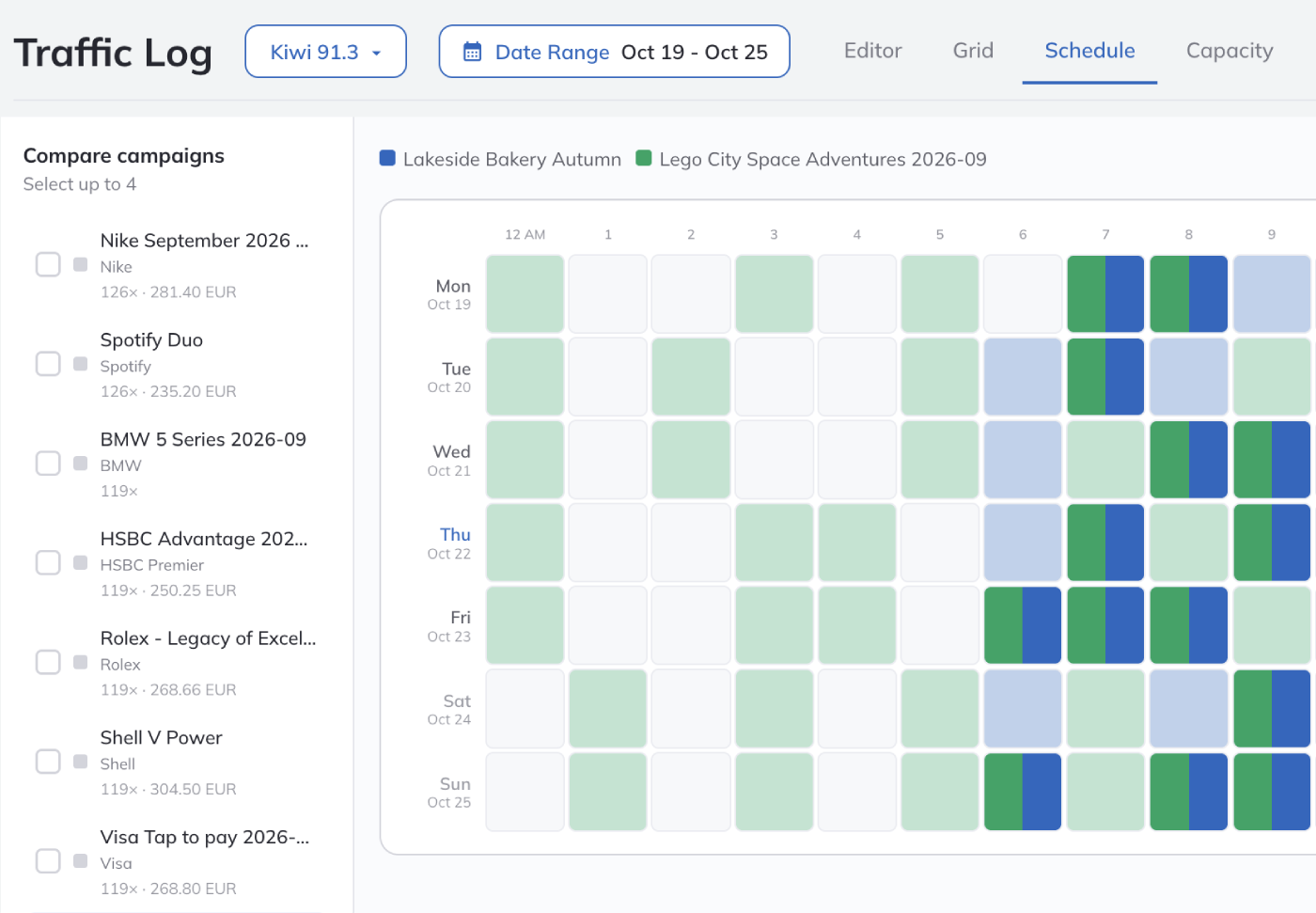

Your part is the campaign: dates, hours, plays and spots. AdMaster weighs every possible placement of every spot, across all your campaigns at once, and picks the best schedule within the settings of each campaign. Nobody gets the best breaks just because their campaign was entered first.
Schedule types
Most campaigns use a static or a variable schedule. Manual scheduling is there for the rare order that fits nothing else.

Static
Choose the hours, the plays in each hour and the days of the week. The spot airs in the same hours every day it runs. AdMaster picks the break in each hour, unless you choose it yourself.

Variable
Set the hours the campaign may run in, such as 8 AM to 2 PM, and how many plays it gets: per day, or for the whole period, such as a week, a weekend, a month or any dates you choose. With plays for the whole period, you can also set how many go to each day of the week, such as five on Thursday and none at the weekend. AdMaster picks different hours every day, so your audience does not hear or see the spot at the same time each day.

Manual
Choose the day and the hour of each play yourself. Use it only for orders with exact times that no rule can describe. You can still choose the break and the position in the break.
Split a static or a variable campaign into as many parts as you need, each with its own dates, hours, plays and spots. One spot in the morning and another in the afternoon. A new spot version every week. A different spot on each day of the week. Repeat a pattern every other day, or at any interval in days, weeks or months.
The scheduling algorithm
AdMaster looks at all active campaigns together, not one campaign at a time. For every break, it checks which spots may go there, which spots must stay apart and how long the break may run. Then it picks the combination that works best for every advertiser.
That is why one new campaign can move other spots too. AdMaster balances the breaks around it, always within the settings of every campaign.
The more campaigns you run, the better the schedule gets. With four or five spots in every break, AdMaster has room to keep everything balanced.
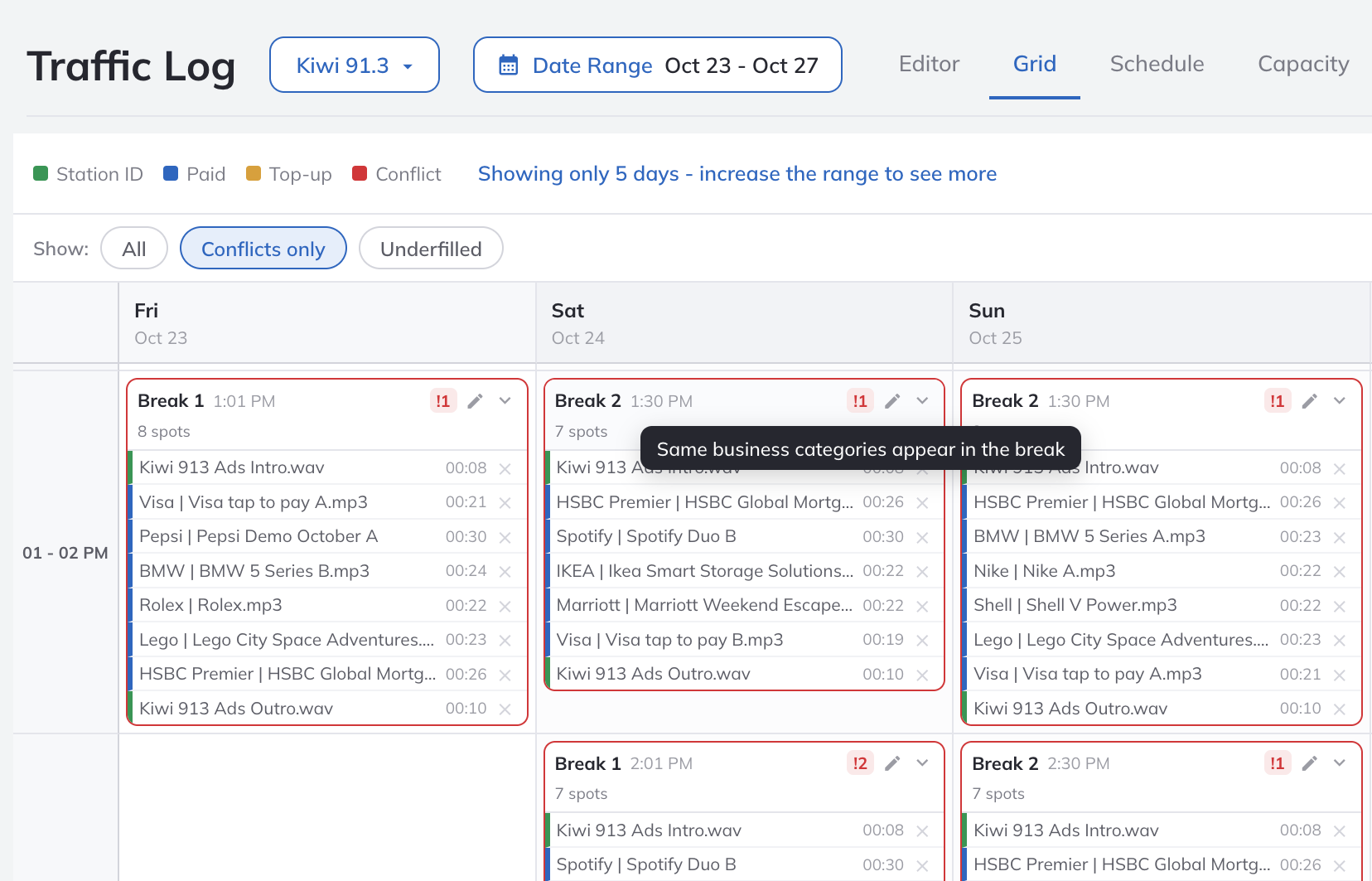
Nine real estate agencies on one station, each with a heavy campaign? No schedule can keep them all apart. AdMaster marks those conflicts in the Traffic Log, and that is the only time you may decide to edit the log by hand.
If a play has no room within its settings, AdMaster leaves it unscheduled and shows it to you. It never moves a play outside its campaign settings just to make it fit.

Commercial breaks
Set up the breaks of each station once, and every campaign follows them. A new station starts with two breaks per hour.
Set the minute each break starts, or the time it must end if your playout backtimes the break. Use different clocks for each day of the week.
Give each break a maximum length, a maximum number of spots and a priority. Breaks with a lower priority are used only when the breaks with a higher priority are full. AdMaster keeps every break within its limits.
Set how long a break must be. Top-ups, such as station promos, public service announcements and spots from active campaigns you allow, bring it to that exact length.
Add a station ID or a jingle at the start or the end of a break, or between spots, and a "just one more commercial" jingle before the last spot. Every break can have its own: at 8 AM, the closing jingle says "The Morning Show is back", and in the afternoon, "Drive Time is back".
Save your clocks as a clock set and use it on other stations. Share one clock set, and a change to it reaches every station that uses it. Running a network? Station networks and split ads
A live event or a holiday? Plan special clocks for any dates in the calendar. Variable campaigns move to the hours that still have breaks, within their settings. Plays with fixed hours that lose their break stay unscheduled, so you decide where they go. When those days are over, AdMaster goes back to your regular setup on its own.
Spots
Run more than one spot version in one campaign: at random, in a fixed order, or by percentage, such as 25% and 75%.
Put the main spot early in the break and a short reminder later in the same break, right after the main spot, or with exactly one other spot in between. Add as many reminders as you need.
Spot still in production? Schedule the campaign now and add the spot file when it arrives.
End a campaign on a date, or when it reaches the total plays or the total seconds you sold.
From our support team
Every hour or break you choose by hand is a hard rule. If many campaigns want the same break, the plays that don't fit stay unscheduled. Use a variable schedule wherever the client allows it: set the daypart and the plays, and AdMaster picks the hours and the breaks.
Eight real estate agencies on the air? Split them into categories such as sales and rentals, and you get far fewer conflicts. Give every customer a category: a customer without one can air next to anyone.
A spot airs at the same hour day after day? Use a variable schedule, lower the plays per day or widen the hours the campaign may run in.
Ten spots in a break can go in more than 3.6 million different orders. Fix one spot as first and another as last, and only about 40,000 are left. Every fixed position takes room away from all other campaigns, so price it accordingly: 10% more is not enough for ruining 30 other advertisers.
Our team at IT4RADIO schedules your traffic in AdMaster for you, remotely, for a flat monthly fee.
AdMaster looks at all active campaigns together, not one at a time. For every break, it checks which spots may go there, which spots must stay apart and how long the break may run. Then it picks the combination that works best for every advertiser. It never moves a play outside the dates, hours and rules of its campaign.
In a static schedule, you pick the hours, and the spot airs in those hours every day. In a variable schedule, you set the hours the campaign may run in and the number of plays, per day or for a whole period such as a week or a month, and AdMaster picks different hours every day. In a manual schedule, you pick every play yourself. Most campaigns use a static or a variable schedule. Each campaign uses one type, split into as many parts as you need.
No. A spot sold for 7 to 9 AM never moves to 10 AM, even when every break before 10 is full and all breaks at 10 are empty. If a play has no room within its campaign settings, AdMaster leaves it unscheduled and shows it to you, so you decide what to do with it.
Yes. Choose one or more breaks in the hour, and a position in the break: first, last, upper third, middle or lower third. Use it when the advertiser pays for it. Every break and position you choose by hand is a hard rule, so leave the rest to AdMaster.
Give each customer a business category. AdMaster keeps spots from the same category out of the same break, and keeps apart spots read by the same voice. You can also pick any active campaigns to keep apart, even from different business categories. If competitors must share a break and you allow it, AdMaster still keeps them apart in the break whenever possible.
In a static schedule, the spot airs in the hours you picked, every day. For more variety, use a variable schedule, or lower the plays per day and widen the hours. AdMaster balances all campaigns together, so the settings of one campaign can also shape where the others go.
Yes, in the Traffic Log Editor. You rarely need to: AdMaster marks the conflicts that no schedule can solve, and those are the places where a manual edit makes sense. You can also set warnings, for example when two spots from the same business category have too few commercials between them.
Plan special clocks for the dates of the special program, with no breaks in its hours. Variable campaigns move to other hours on their own, within their settings. Plays with fixed hours that lose their break stay unscheduled, and you place them in the Traffic Log Editor or change the campaign. When those dates are over, AdMaster goes back to your regular clocks on its own.
Yes. Repeat a pattern at any interval in days, weeks or months: every other day, every other week, or Monday, Wednesday and Friday one week and Tuesday, Thursday and Saturday the next.
A campaign of average complexity takes less than 3 minutes to enter. AdMaster schedules every play and sends the new traffic log to your playout. If your playout loads the traffic log every hour, the new spots air in the very next hour.
Yes. One campaign can run on one station, on more than one or on all of them, with the same schedule on each station or a different one. Stations can even air different spots in the same campaign: snow chains in the north and sun umbrellas in the south, at the same times. With split ads, AdMaster keeps the breaks the same length on every frequency. Station networks and split ads.
Start the 60-day free trial, with no credit card. Put real spots on air from day one.

Questions?
Live chat on working days, 9:00 to 21:00 CET, when an agent is available.