AI assistants Beta
This is BIG. Connect AdMaster to the AI tool of your choice to set up your AI assistant, and work the way you talk. Enter a campaign straight from the client's email, replace every play your station missed while it was off air, or create last month's broadcast reports and invoices in one message. You check everything before it is saved.
Included in every station licence. Works with AI tools that support custom connectors (MCP).
Beta. AI can make mistakes. Always have a person check everything your AI assistant does.
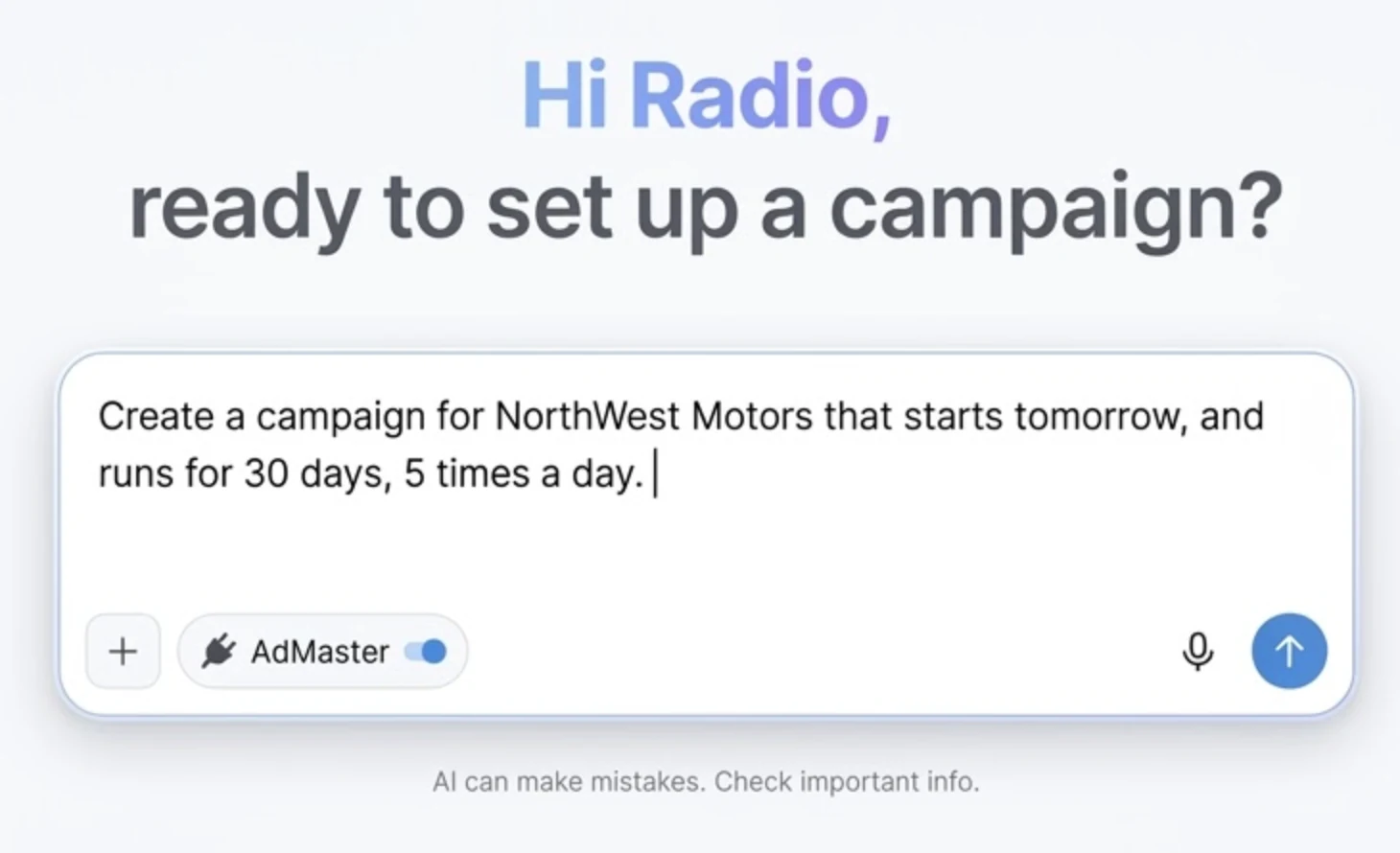
Your AI assistant turns your words into work in AdMaster, under your own login and with your own permissions. The work itself is done by AdMaster, by the same rules as when you click through it yourself: scheduling places every spot, reports come from your own data, invoices follow your settings. And every AdMaster release lets your AI assistant do more.
Our best example of time saved
A power cut, a storm or a transmitter fault can take a station off air for half a day. By hand, someone opens every campaign that lost plays and adds them back, one by one. On larger networks, this is most of a traffic manager's work.
With your AI assistant, it is one message, and it saves your team an incredible number of working hours. Tell it which station was off air, and when. Every campaign gets its missed plays back, in the hours the advertiser bought.
"City FM was off air today from midnight to noon. Check today's traffic log and replace the missed plays: in every campaign that lost plays, add a new part from tomorrow, for three days, in the same hours as the campaign, with as many plays as were missed."
Your station decides when missed plays come back. AdMaster never does it on its own. Beta. AI can make mistakes. Always have a person check everything your AI assistant does.
How it works
Tell your AI assistant what you need, in your own words and your own language: a new campaign, a change, a report, the invoices for last month.
Paste the client's email, or attach the order. If your AI assistant is connected to your work email, just write: "Check my inbox and create all campaigns ordered since yesterday."
Before anything is saved, your AI assistant shows you what AdMaster will do: a campaign with every day, hour, play and price, a broadcast report, an invoice. Ask for a change in plain words, and you get a new preview.
Say yes, and AdMaster saves it. New campaigns wait as pending until you activate them, and nothing reaches a client until someone on your team clicks Send.
What you can ask
This is what your AI assistant can do in AdMaster today. Every AdMaster release adds more, so more of your work can start with a sentence.
Example
One campaign as an example: a car dealer buys a month on three stations, with one spot in the morning and another in the afternoon.
You
Create a campaign for NorthWest Motors, called NorthWest November 2026. It runs from 1 to 30 November on all our stations. Two 30-second spots, A and B, files come later. Every day, two plays between 8 and 12 with spot A, and two plays between 14 and 18 with spot B. Price: EUR 3 per play in the morning, EUR 2 per play in the afternoon.
AI assistant
NorthWest November 2026
| Part | Days | Hours | Plays per day, per station | Spot | Price | Plays | Total |
|---|---|---|---|---|---|---|---|
| Morning | Every day | 08:00 to 12:00 | 2 | A | EUR 3 per play | 180 | EUR 540 |
| Afternoon | Every day | 14:00 to 18:00 | 2 | B | EUR 2 per play | 180 | EUR 360 |
Total: 360 plays (120 per station), EUR 900.
Warning: the spots have no audio files yet. Add them in AdMaster when you get them.
Do you confirm?
You
Yes.
AI assistant
Campaign NorthWest November 2026 is saved as number 026, with status pending: 360 plays on all three stations, EUR 900 in total.
Your AI assistant found the advertiser and "all our stations" in AdMaster on its own. A new advertiser is created only after you say so. AI can make mistakes. Always have a person check everything your AI assistant does.
You stay in control
AI assistants in AdMaster are in beta. AI can make mistakes, so a person always has the last word. Always have a person check everything your AI assistant does.
Your AI assistant shows what it is about to save: a campaign, a broadcast report, an invoice. Nothing is saved until you confirm.
New campaigns are saved as pending and never go on air on their own. Nothing reaches a client until someone on your team clicks Send.
Your AI assistant is only an input source for your AdMaster account. If you are not authorized to create an invoice in AdMaster, you can't create one through your AI assistant either.
Your AI assistant sees only the data of your own AdMaster account: your stations, advertisers, campaigns and invoices.
Confirm the same campaign twice by mistake, and AdMaster saves it only once.
Audio and video files never pass through your AI assistant. You upload them in AdMaster, as always.
Connect
AdMaster connects to your AI assistant as a custom connector, also called an MCP connector. You need an AdMaster account and an account with an AI assistant that lets you add custom connectors. Some AI assistants allow it on free accounts, others only on paid plans. AdMaster works the same with both.
Open the connector settings in your AI assistant and add a custom connector.
Name it AdMaster and paste the address below.
Sign in with your usual AdMaster login and allow the connection.
Start a new chat and ask for what you need.
On some team and company plans, only the account owner or an admin can add a custom connector for the whole organisation. After that, every member signs in with their own AdMaster login. Step by step, with what to check after you connect: User manual.
No. AdMaster gives you the connector, and you use your own AI assistant: any AI assistant that lets you add custom connectors (MCP). Some do this with a free account. Check whether the AI assistant you use offers custom connectors in the plan you have. The connector address is on this page, under Connect.
Not on the AdMaster side. Every station licence includes it, also licences with the small station discount. The AI side is yours: you use your own AI assistant account, and how much you can use it, and any cost, depend on your plan with that provider.
As much as you would rely on it for any other work. AdMaster does exactly what it is told. Your AI assistant should understand everything you write or say, but AI can make mistakes, so always have a person check everything your AI assistant does. The AI assistant connection is in beta, and we keep improving it.
Not because of AdMaster. AdMaster makes no difference between free and paid AI accounts. Whether you can add a custom connector on a free account depends only on your AI assistant and its provider.
No. Your AI assistant only fills in the campaign: dates, stations, days, hours, plays, spots and price. AdMaster's scheduling places every spot in the right break, exactly as with a campaign you enter by hand.
No. Think of your AI assistant as an extra keyboard and mouse that does in AdMaster what you tell it. A campaign or an invoice it creates is a regular one: anyone in your team can open it and change it by hand.
It can happen: AI can make mistakes. That is why you see everything before it is saved. Check it, and ask for a change in your own words. New campaigns are saved as pending, and nothing reaches a client until someone on your team clicks Send. Always have a person check everything your AI assistant does.
If your AI assistant doesn't understand something, it asks you. If it thinks it understands, it writes back what it understood. If that is what you want, confirm. If it isn't, do that part directly in AdMaster.
Yes. Tell it which station was off air, when, and over which days the plays should come back. It finds every campaign with plays in those hours in the traffic log, and adds a new part to each one, in the same hours, with as many plays as were missed. You check every new part before it is saved, and AdMaster schedules the plays. AI can make mistakes. Always have a person check everything your AI assistant does.
Yes. Ask for a report in your own words, for example which salesperson brought in the most revenue in the last three months, and your AI assistant builds it from your Insights data. Ask for the broadcast reports and invoices of all campaigns that aired last month, and AdMaster creates them, the same way as when you create them by hand. You see them before they are saved. Invoices are saved as drafts, and nothing reaches your clients until someone on your team sends it.
More with every AdMaster release. We are working towards one goal: whatever you can do in AdMaster, you can also ask your AI assistant to do. The examples on this page show what works today.
Think of it as a tool with your AdMaster account in front of it: it sees what you see on your screen, and nothing more. It doesn't open your spot files. Your AI assistant works under your own account with its provider, so what it keeps follows that provider's rules. More in our Privacy Policy.
Any AI assistant that lets you add custom connectors, also called MCP connectors. Look for connectors in its settings. If you don't find them, ask its provider whether your plan includes them.
Yes. Write in the language you use every day. Your AI assistant answers in it, and AdMaster saves the campaign the same way.
Yes, if your AI assistant app lets you speak to it. Say the order the way you would tell a colleague, then check the preview on the screen before you confirm.
Everyone with a user in your AdMaster account. Each person signs in with their own AdMaster login, and their AI assistant gets the same permissions that user has in AdMaster. If someone can't create a campaign in AdMaster, they can't create one through their AI assistant either.
Yes, for a few things. You upload the spot files in AdMaster, and the AdMaster Desktop Client app still delivers traffic logs and spots to your playout.
Yes. Describe the change, check the preview and confirm. Changes air from the next hour at the earliest. Days that already aired never change, and a new price counts from today unless you ask otherwise. Some playouts load the new traffic logs on their own; with others, someone needs to import them again. The setup notes for your playout are on our integrations page.
Start a free trial, connect your AI assistant, and ask it for something you do every week. Check the result before you confirm.
Beta. AI can make mistakes. Always have a person check everything your AI assistant does.
Questions?
Live chat on working days, 9:00 to 21:00 CET, when an agent is available.