TV stations

TV traffic software that schedules itself.

AdMaster schedules your commercials into every break, sends the traffic logs and spot files to your TV playout, checks what aired and prepares your invoices. EUR 29.95 per channel per month, with everything included.

60 days free, with no credit card. Put real spots on air from day one.
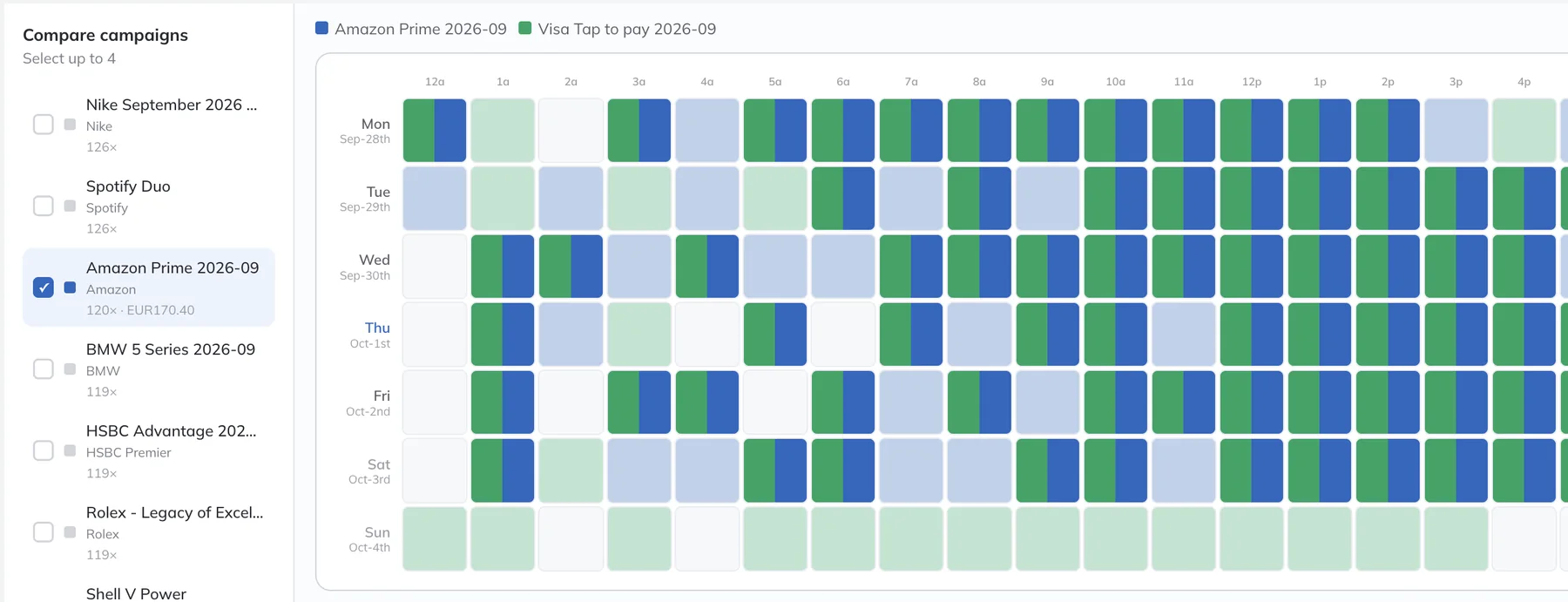
AdMaster schedule view: two campaigns spread evenly across every hour of the week

Your playout runs the programs.
AdMaster runs the commercials.

AdMaster schedules commercials, not programs. You set when each commercial break starts in the hour and how long it can be. AdMaster fills every break with the right spots, and your playout airs them inside your program schedule. Many TV stations already work this way with AdMaster.

What you get

Built for TV breaks.

Up to 20 breaks an hour

Give each channel its own breaks: the minute each break starts and the longest it can run. Use different clocks for each day of the week, and copy them to your next channel in a few clicks.

Video spots, delivered

The AdMaster Desktop Client app works like a tiny Dropbox. It puts the traffic logs and the spot files on your playout computer, so nobody copies files by hand. Each licence includes 1 GB of cloud storage, enough for most TV stations that remove old spots.

Works with your TV playout

AdMaster writes the traffic log in the format your playout reads, for 40+ radio and TV playout systems. Need another layout? Build it in the output configurator, or send us a sample traffic log and we can add it. See all playout systems

Every break exactly as long as you need

Set how long each break must be. Top-ups, such as station promos, public service announcements and spots from active campaigns, bring every break to that exact length.

Your advertisers follow it online

Every campaign gets a live report. Your advertiser sees the broadcast plan and the spots that aired, any time, on any device.

Proposals and invoices

Prepare a proposal, activate the campaign when the client says yes, and send the invoice. Invoices can hold anything you sell, from spot production to sponsorships. See billing

Scheduling

Conflicts solved before you see them.

Many traffic systems list the conflicts and leave someone to solve them by hand. That can take a whole day.

AdMaster weighs every possible placement of every spot and solves conflicts on its own, within the settings of each campaign. You see a conflict only when no schedule can solve it.

Say a spot must never air twice in the same break, and someone sells three plays in an hour with two breaks. One play stays unscheduled, AdMaster shows you where, and you decide what to do with it.

Any pattern you sell

  • Plays per day, per week or any custom period
  • Hour ranges and days of the week
  • More plays in prime time, fewer during the day
  • Every other day, or any interval in days, weeks or months

Where spots go

  • Position in the break: first, last, upper third, middle or lower third
  • Reminder spots in the same break
  • Priority breaks
  • Rotation by percentage across spot versions

Always done automatically

  • Every spot placed within its campaign settings
  • Business and voice separation
  • Balanced break lengths
  • Top-ups that bring a break to the exact length you need

Sold today. On air in the next hour.

Enter a new campaign, and AdMaster fits it into the breaks that are already scheduled. If your playout loads the traffic log every hour, the new spots air in the very next hour.

Less than 3 minutes per campaign.

A campaign of average complexity takes less than 3 minutes to enter. AdMaster schedules every play and sends the new traffic log to your playout.

How scheduling works

Licences

Radio, TV or both.

You need one licence for each traffic log. Your radio stations and TV channels all work in one AdMaster account.

1 licence

One TV channel

One traffic log for your playout, with unlimited users and every feature included.

2 licences

A radio station and a TV channel

Each has its own breaks and its own traffic log. One campaign can run on both, with the same schedule or a different one on each.

1 licence per traffic log

More channels or feeds

Each channel or feed with its own commercials needs its own traffic log. The more licences you have, the less you pay for each one.

Ask for your network price

No one to schedule your traffic?

Our team at IT4RADIO schedules your traffic in AdMaster for you, remotely, for a flat monthly fee. For TV channels too.

Ask IT4RADIO

TV station questions

AdMaster schedules commercials, not programs. Your programs stay in your playout, or in the system you use to plan them. In AdMaster, you set when each commercial break starts in the hour and how long it can be. AdMaster fills the breaks, and your playout airs them inside your program schedule.

If your playout can import a traffic log from other software, AdMaster can work with it. AdMaster writes the traffic log in the format your playout reads, for 40+ radio and TV playout systems, plus m3u and pls playlists. Each break goes into the traffic log with the minute it starts, which is how most TV playouts find it. Need another layout? Build it in the output configurator, or send us a sample traffic log and we can add the format for you. See all playout systems.

In AdMaster, you choose the traffic log format and the minute each break starts. In your playout, someone sets the folder where it picks up the traffic logs and spot files. This is done once, usually in about 15 minutes, and your playout's support team knows where these settings are.

Yes. Upload your spots to AdMaster, and the AdMaster Desktop Client app puts them on your playout computer together with the traffic logs. Each licence includes 1 GB of cloud storage. That is enough for most TV stations that remove old spots from the cloud. Using very large video files? Tell us, and we will find the right setup with you.

Two, one for each traffic log. Both work in one AdMaster account, with the same users. If one traffic log airs on both radio and TV, one licence is enough.

Up to 20 breaks per hour. Each channel has its own breaks, and each day of the week can have its own clocks. Save them as a clock set and share it with other channels.

Yes. Set how long each break must be and choose its top-ups: your own files, such as station promos and public service announcements, and spots from active campaigns that you allow as top-ups. AdMaster uses them only when a break needs them, to bring it to the exact length.

AdMaster reads the broadcast log your playout writes and compares it with the schedule. This needs a playout that writes a broadcast log. The check runs in real time only if your playout updates its log as it plays. Tell us which playout you use, and we tell you what to expect. How reconciliation works.

EUR 29.95 per channel per month, or EUR 299.40 per year. Every feature, unlimited users, free updates and free support are included, and there is no setup fee. With more than one licence, you get the multi-station discount. See pricing.

Your first TV campaign takes less than 3 minutes.

Start the 60-day free trial, with no credit card. Put real spots on air from day one.

Questions?

support@admaster.info

Live chat on working days, 9:00 to 21:00 CET, when an agent is available.