Reporting
An as-run report tells advertisers what aired last month. A live report shows them the broadcast plan of their campaign from the day you enter it, and every airing verified in your broadcast log, within minutes when your playout writes its log as it plays. Classic broadcast reports and affidavits are there too.
60 days free, with no credit card. Put real spots on air from day one.
Three kinds of reports
Every report in AdMaster starts from the same record of what was scheduled and what aired. Each one is made for a different reader.
1
For your advertisers.
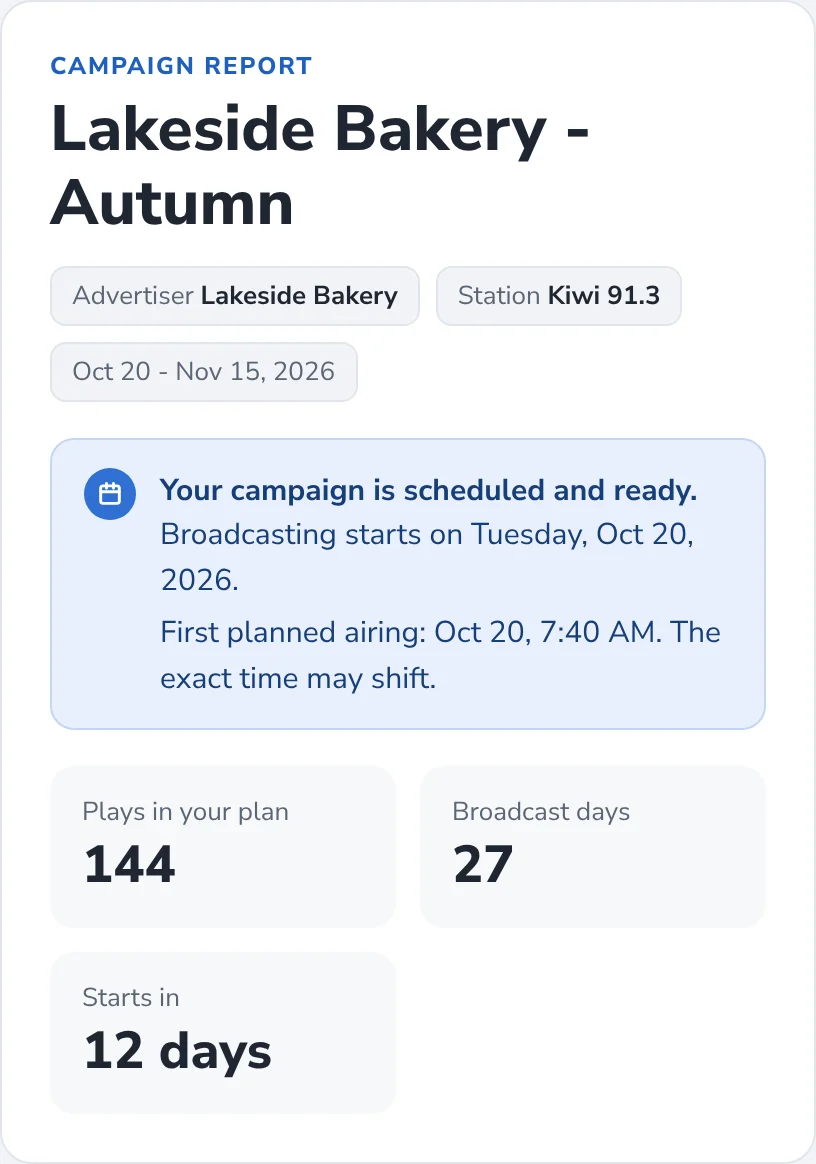
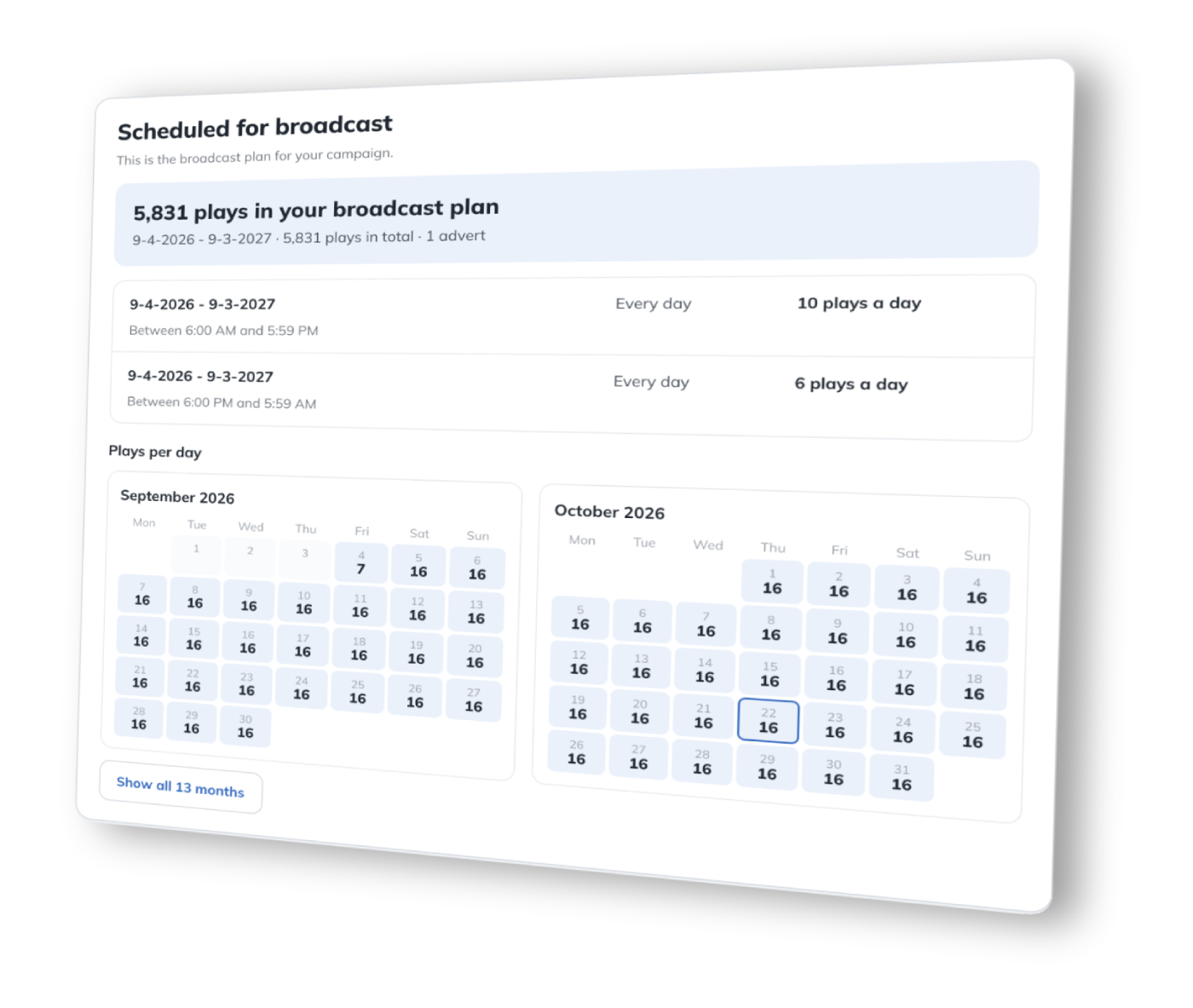
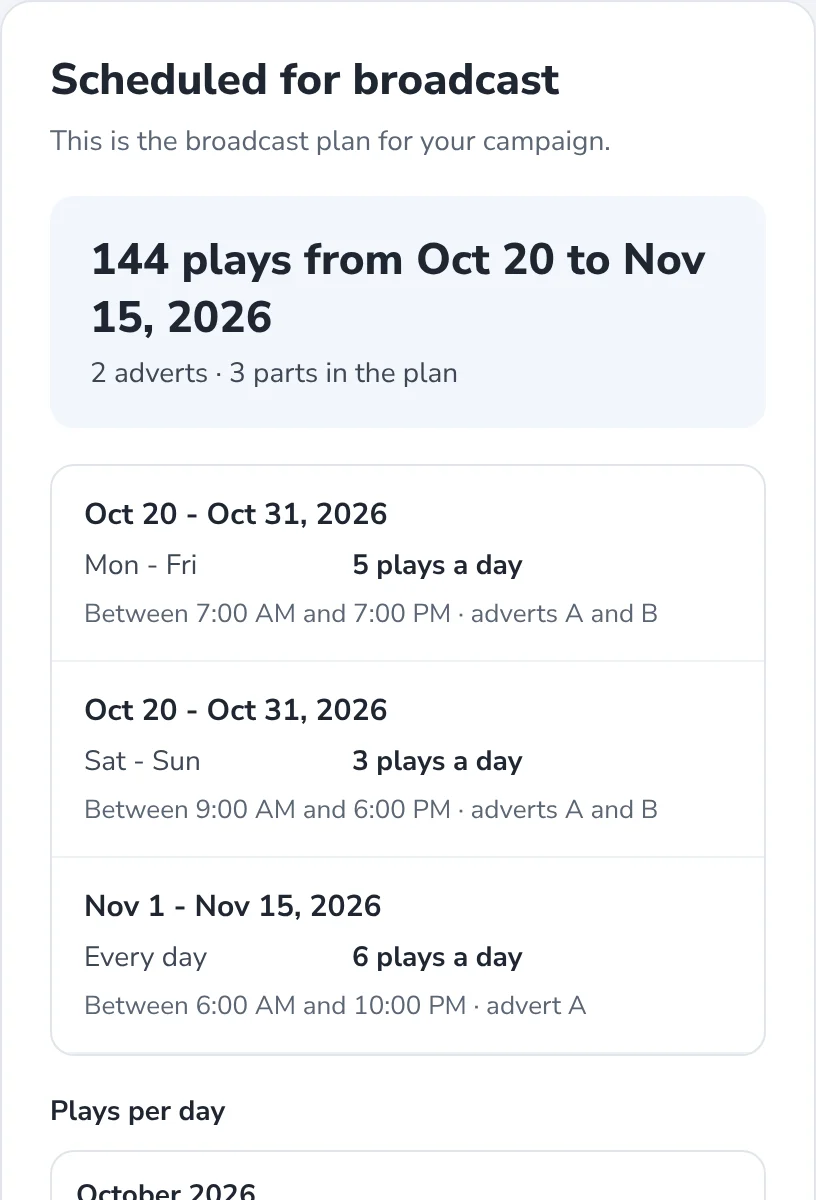
A link or a PDF for one campaign: the broadcast plan with the plays for every day, the spots, and every airing verified in your broadcast log. Ready the day you enter the campaign.
About live reports2
For advertisers and agencies.
Also called as-run reports, affidavits or proof of performance. Every play in a period, with the time it aired, as a PDF, a link or a CSV file. Works with automatic and manual reconciliation.
About broadcast reports3
For your team at the station.
Reports you build yourself, about delivery, sales and customers. Export them to CSV.
About Insights1. Live reports
Fewer calls asking if the ad ran. Open the campaign, create its report and send the advertiser a link, a PDF or both. You decide which campaigns get one, and what each report shows.
The broadcast plan

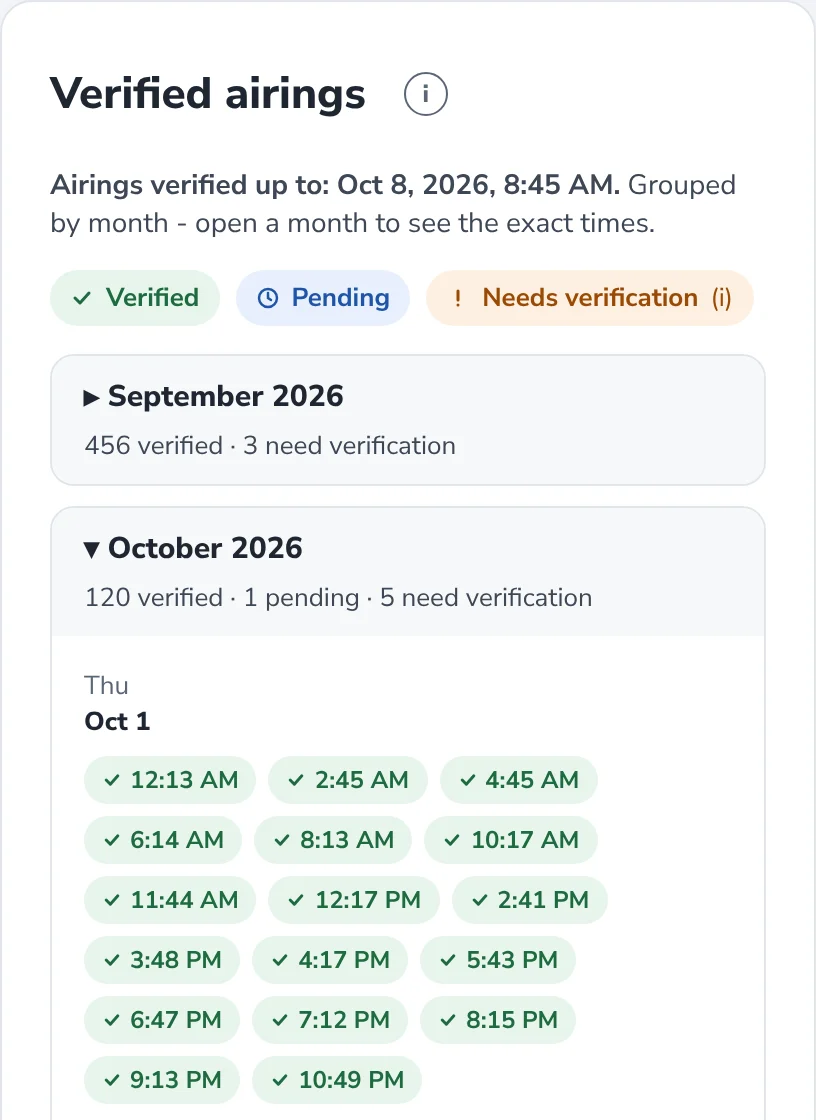
Verified airings

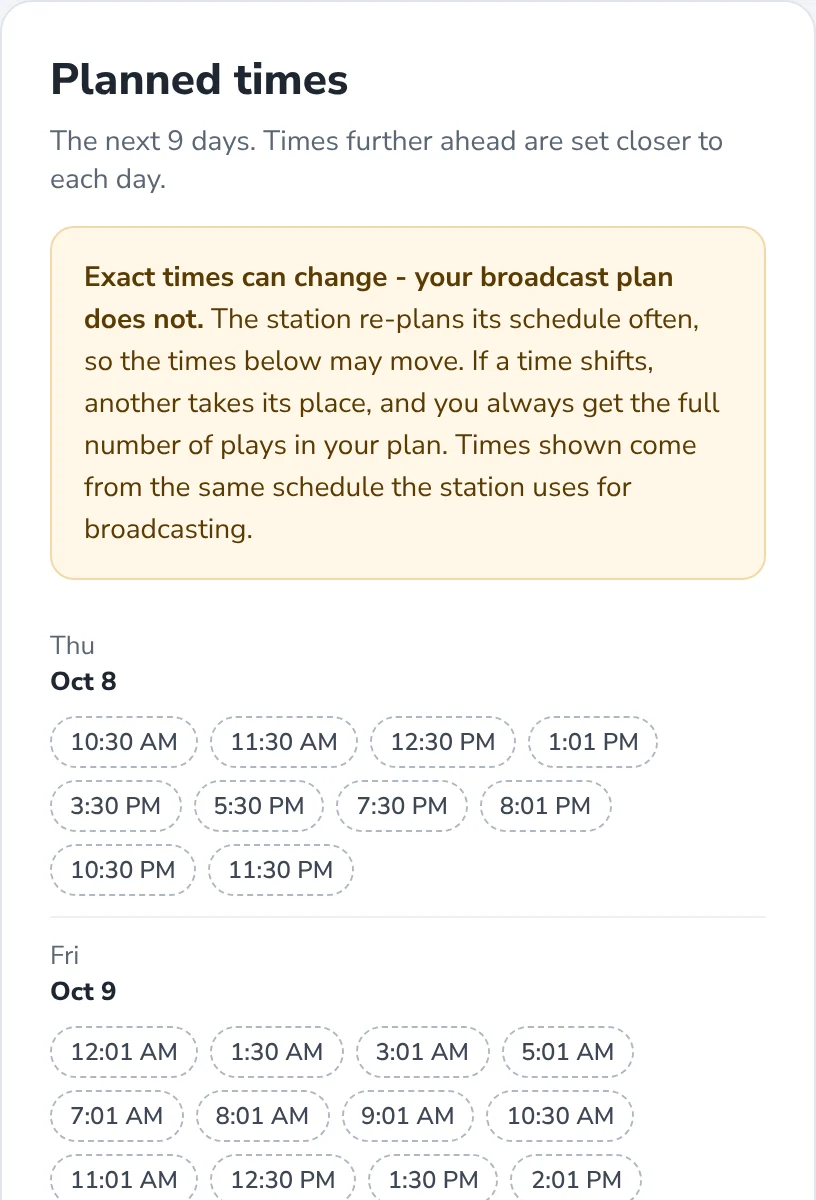
Planned times

Before the campaign starts

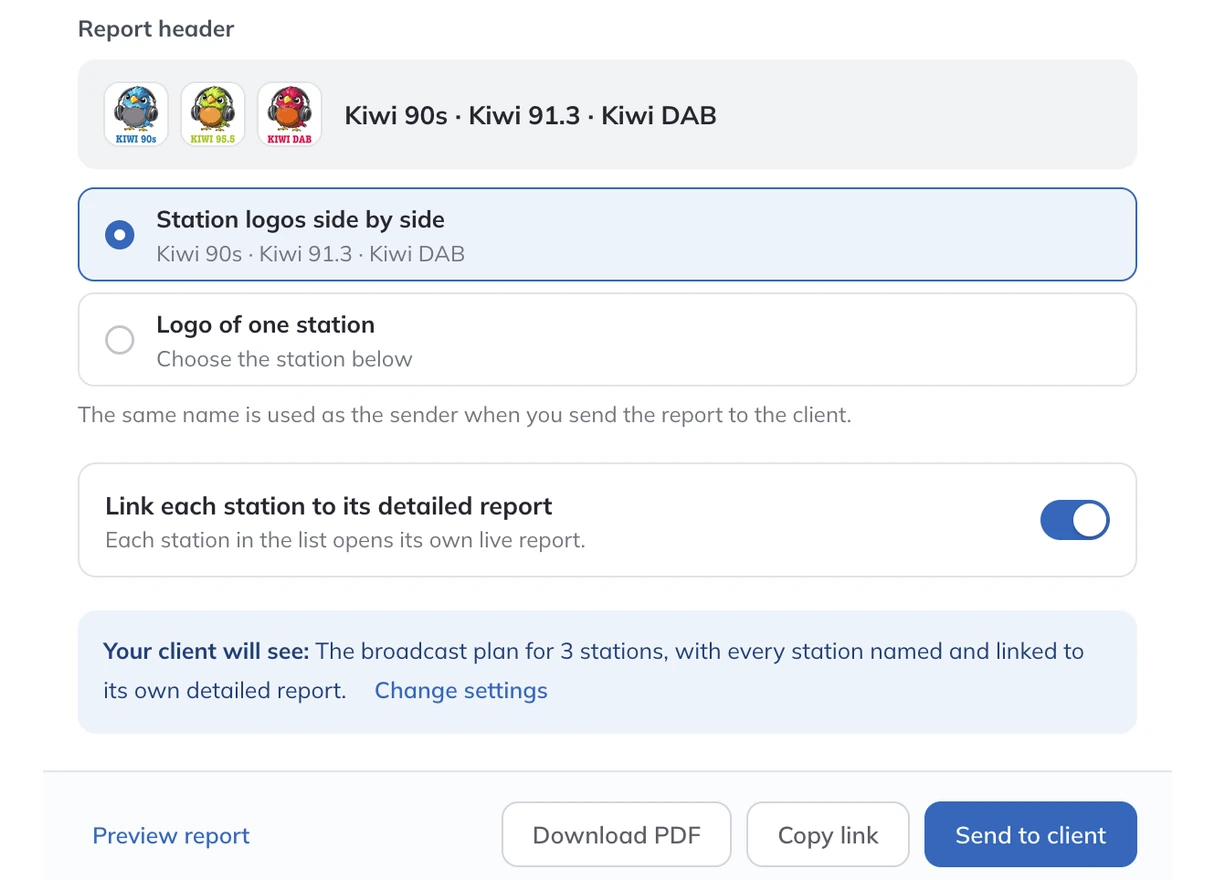
Link, PDF or email

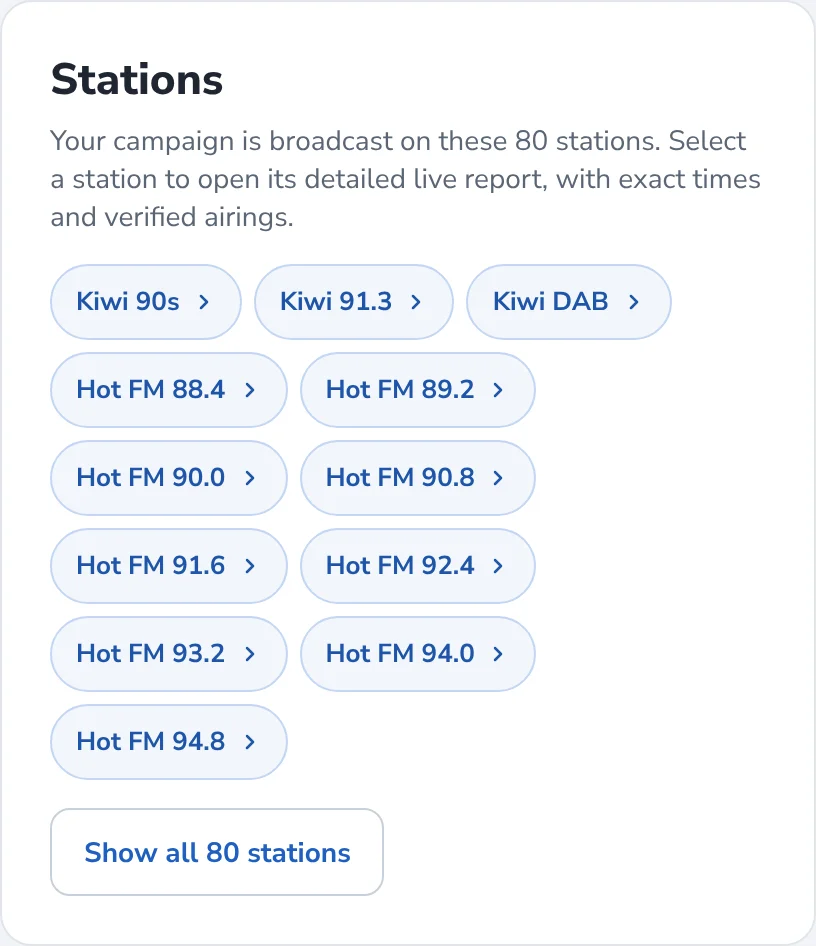
One report for many stations

AdMaster plans the breaks again after every change in any campaign. New campaigns find their place, and early ones never block the best positions for good. A list of exact times weeks ahead would be wrong by the time the campaign airs. The broadcast plan, the plays for every day and the verified airings are what the advertiser paid for.
2. Broadcast reports
Also called affidavits, as-run reports, proof of performance or certificates of transmission. Make one for any customer and any period.
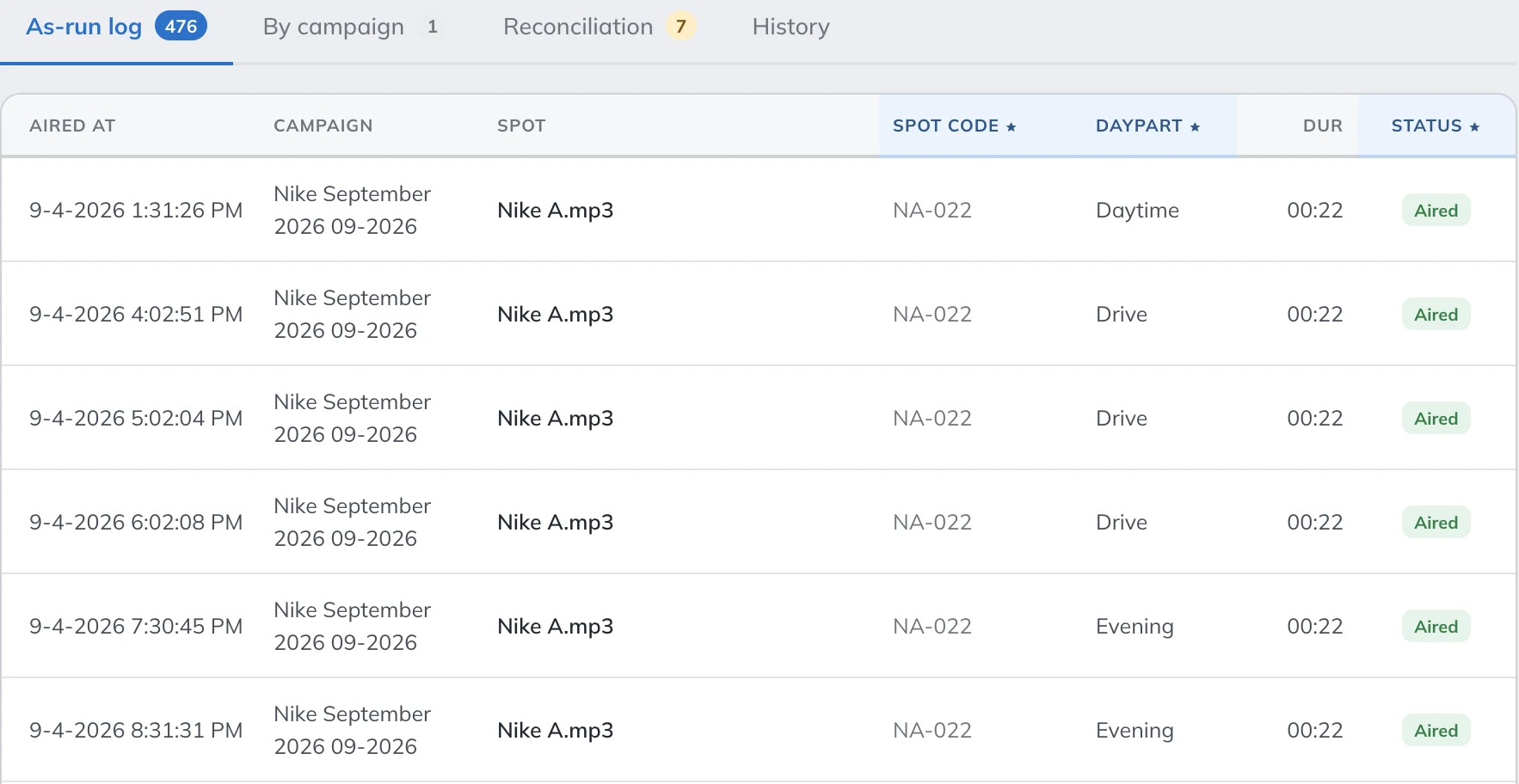
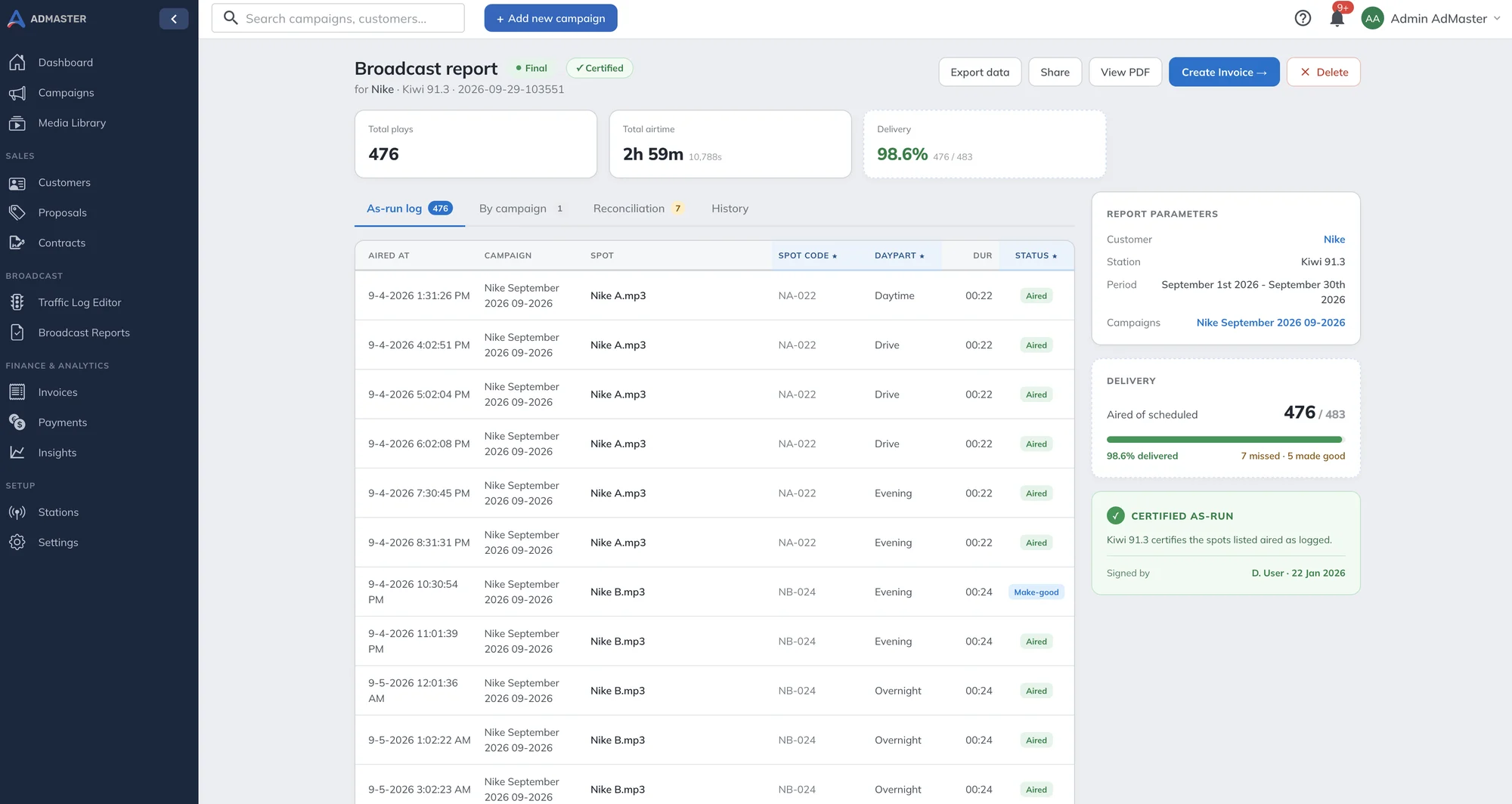
The time of every play. Build the report from your reconciliation data, and it lists the time each spot actually aired, with the total plays and total airtime. No reconciliation for those days? Build it from the schedule, with the planned times.
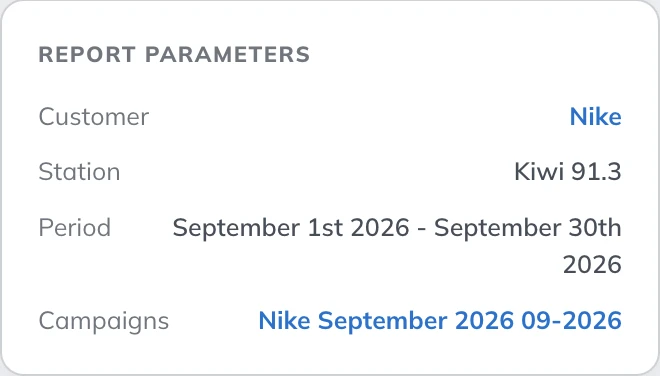
Any customer, any period. Pick the station, the customer, the dates and the campaigns. See every play in one list, or grouped by campaign.
Aired against the plan. The report shows how many of the scheduled spots aired, and which ones did not.
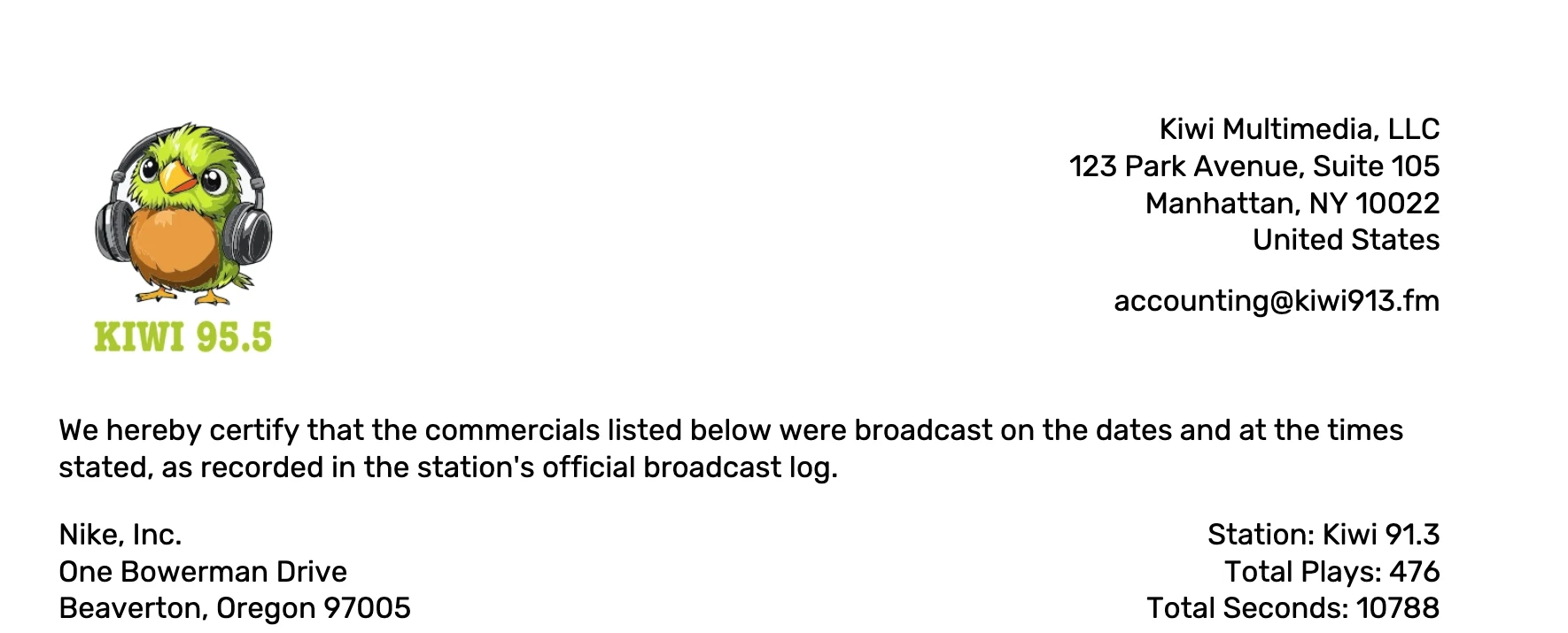
Certified as-run. Mark the report as final and certified, with the name of the person who signed it. The PDF carries your logo and address, and states that the commercials were broadcast on the dates and at the times listed, as recorded in your broadcast log.
Share it, or invoice it. Open the report as a PDF, share it with the client as a link, or export the data to CSV. Then turn it into an invoice, and edit the invoice as you need. Billing

3. Insights
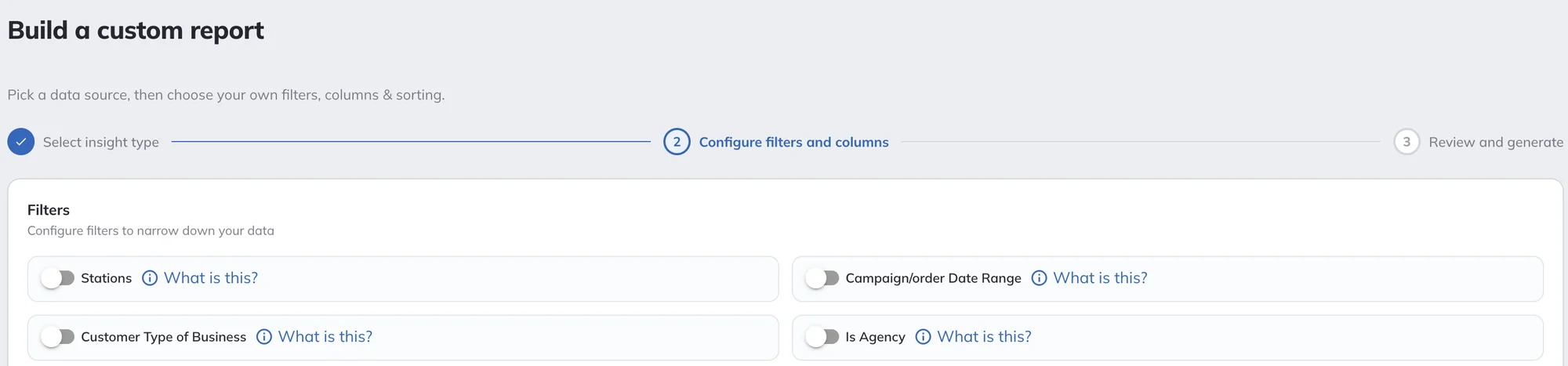
Insights are the reports you build yourself, for your team at the station. Pick a report type, choose the columns, then filter and sort. Your reports are saved, ready for the next time you need them.
Export any report to CSV for your spreadsheet or accounting software, or send it to a client when it helps. Admins see every report. What other users see depends on their user permissions.
Pick a report type. Choose the filters, the columns and the sorting. Review it and create the report.

Also inside AdMaster
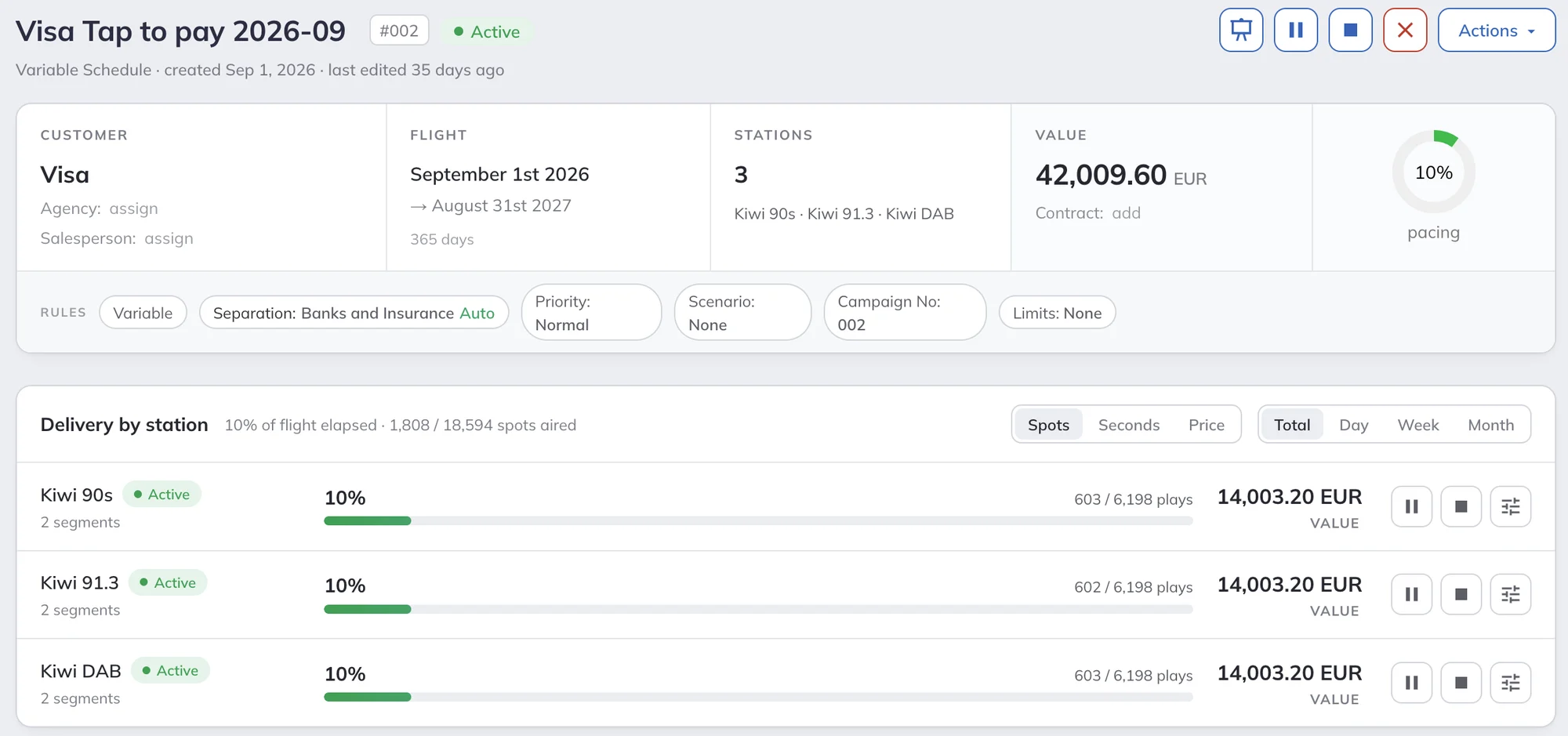
Each campaign shows the plays, seconds and value that aired against the plan, for every station in the campaign. Switch between the total, a day, a week or a month, and see how much of the campaign has gone.
Contracts show contracted, scheduled and aired plays in one place, so you know what is left to deliver before you invoice.

Two kinds. A live report, a private link or a PDF with the broadcast plan of the campaign and every airing verified in your broadcast log, and broadcast reports, also called affidavits or proof of performance, with every play in a period. Both work with automatic and manual reconciliation.
No. The live report is a private link. It opens in any web browser, on a phone or a computer, with no account and no app. You can also send it as a PDF.
Only if you want them to. You create the report for a campaign and decide who gets it.
The broadcast plan changes as soon as you change the campaign. Airings are verified when the broadcast log reaches AdMaster, within minutes if your playout writes its log as it plays. The report shows the time up to which airings are verified, and the advertiser sees the new numbers when they reload the page.
You can send the broadcast plan: the days, the hours and the number of plays for every day of the campaign. A list of exact times for the whole campaign does not exist in AdMaster, because it plans the breaks again after every change in any campaign. Planned times appear in the live report for the days your traffic log already covers, up to two weeks ahead.
Yes, when you build it from your reconciliation data. It then shows the time each spot aired, from your playout's broadcast log, for every day that was reconciled. You can also build it from the schedule, with the planned times.
Yes. Then edit the invoice as you need: add discounts, spot production or any other line by hand. Billing.
Create an Insights report of your campaigns with the ordered plays, the plays that aired and the percentage delivered, and sort it from the lowest. You see every order that fell short, without opening them one by one.
Yes. Insights reports export to CSV. Broadcast reports open as a PDF, export to CSV, or go to the client as a link.
Admins see every report. What other users, such as salespeople, can see depends on the user permissions you give them.
Yes. A campaign on more than one station shows the delivery on each station, and Insights reports can cover all your stations at once. Station networks and split ads.
Start the 60-day free trial, with no credit card. Put real spots on air from day one.
Questions?
Live chat on working days, 9:00 to 21:00 CET, when an agent is available.